 |
SWMMVis
6.0.0-alpha.4
Qt6/C++ GIS-based graphical user interface for the SWMMVis engine (6.0.0-alpha.4)
|
|
SWMMVis
6.0.0-alpha.4
Qt6/C++ GIS-based graphical user interface for the SWMMVis engine (6.0.0-alpha.4)
|
Give the model its meteorology: air temperature, evaporation, wind speed, the global snowmelt parameters and areal depletion curves, and the monthly adjustments applied to all of them. Then, if you are running heat transport, set up the solar and radiative configuration that drives it.
Four entries under Model → Climate open the same modal Climatology dialog, each on a different tab:
The same five buttons sit in the Climate group of the Model ribbon tab.
| Menu entry | Opens on tab |
|---|---|
| Model → Climate → Temperature | Temperature |
| Model → Climate → Evaporation | Evaporation |
| Model → Climate → Wind | Wind Speed |
| Model → Climate → Snow | Snow Melt |
| Model → Climate → Solar Radiation | Heat Configuration dialog, Solar tab |
The Humidity, Radiation, Areal Depletion and Adjustments tabs have no menu entry of their own — reach them by opening any of the four Climatology entries and switching tabs.
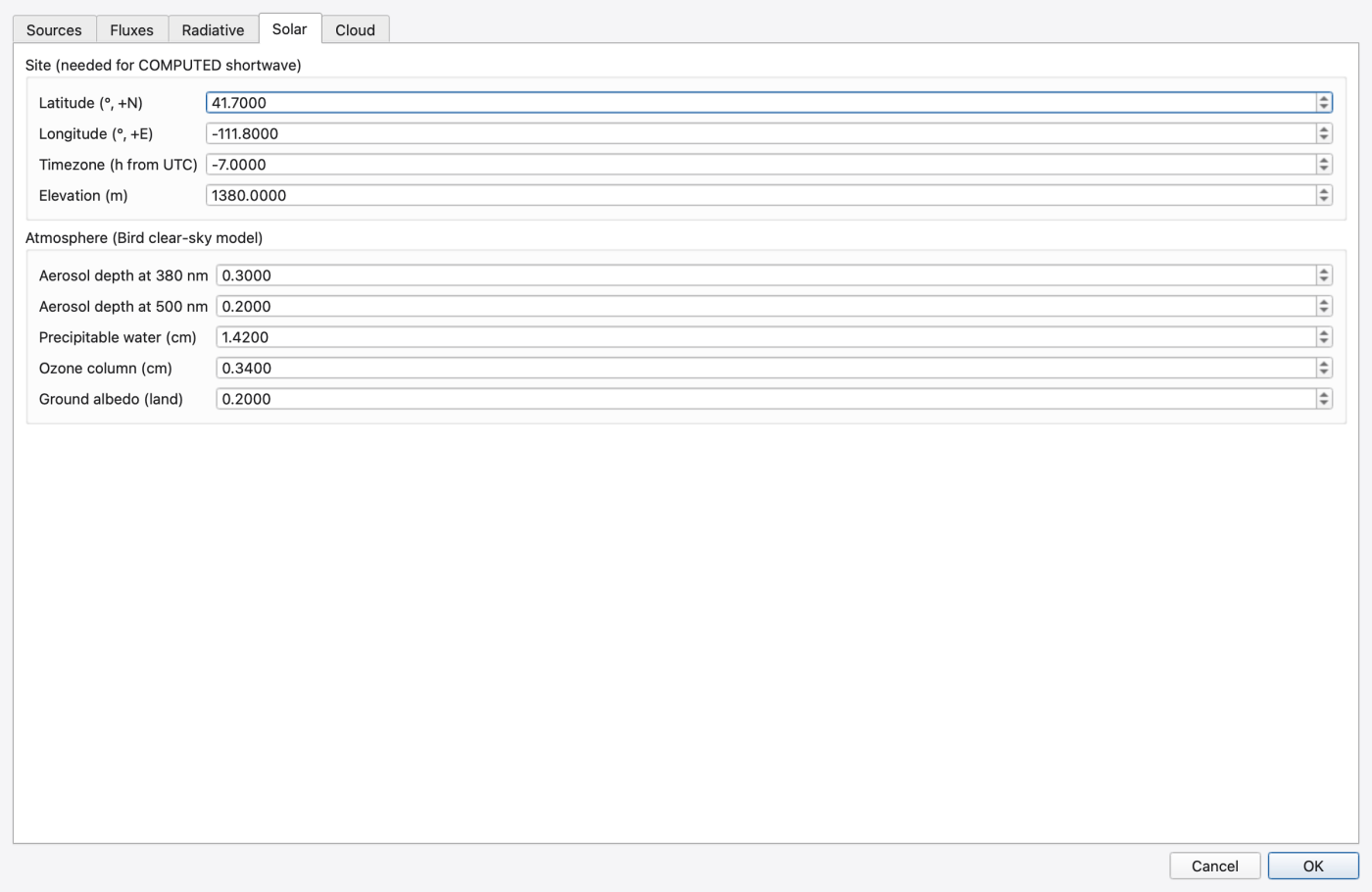
Solar Radiation opens the Heat Configuration dialog. SWMM has no solar-radiation input in the climatology block; incoming shortwave, site latitude/longitude/timezone/elevation, atmosphere and cloud cover belong to heat transport, so the button opens that dialog on its Solar tab. See Solar radiation and heat transport below and 16 — Water Quality, Reaction Systems, Water Age and Heat.
The dialog reads the model on open and writes on OK; it compares a signature of every widget against the values it read, so pressing OK without editing anything writes nothing.
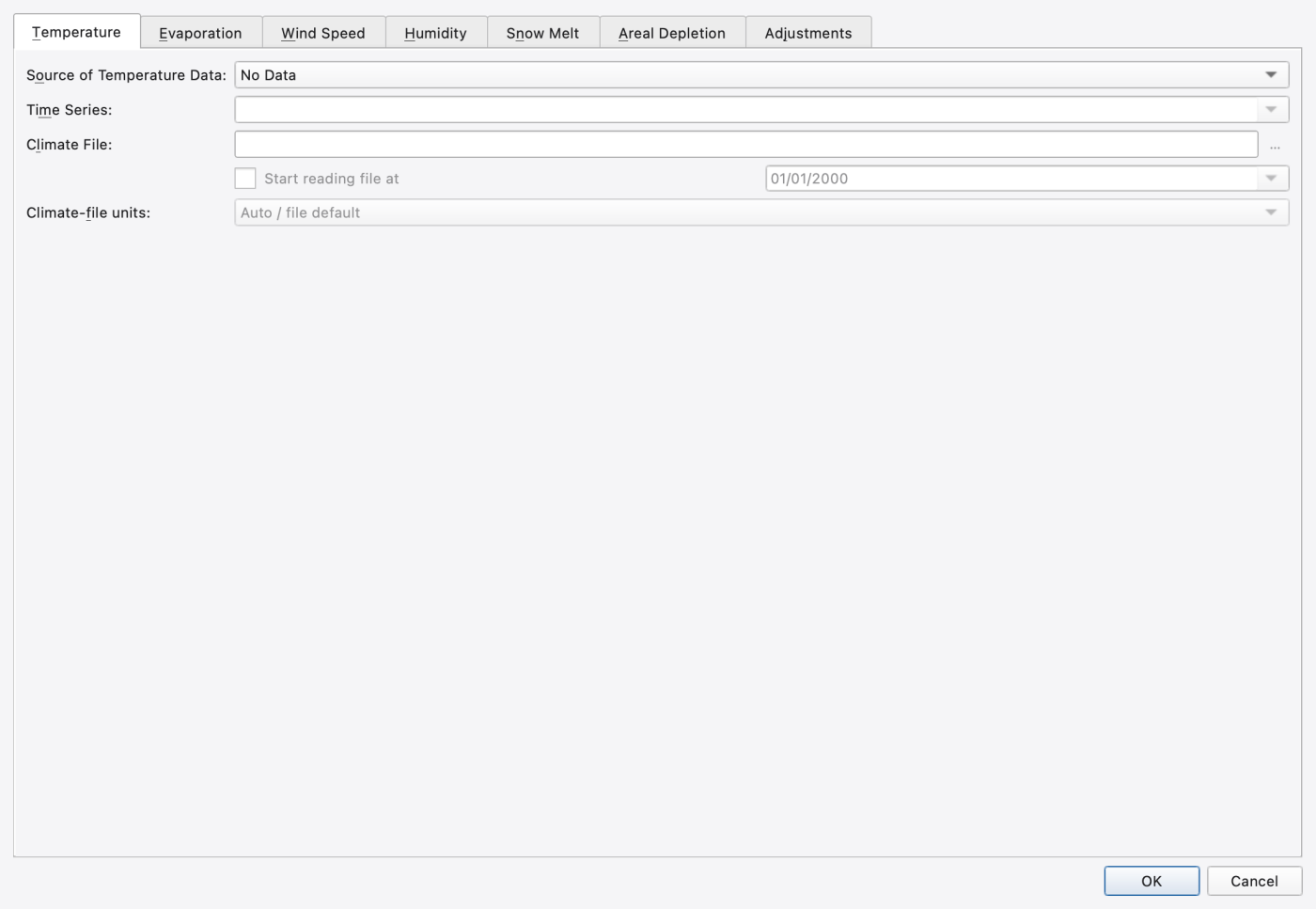
| Control | What it does | Writes |
|---|---|---|
| Source of Temperature Data: | No Data; Time Series; External Climate File | [TEMPERATURE] source |
| Time Series: | The [TIMESERIES] holding air temperature — enabled for the Time Series source | [TEMPERATURE] TIMESERIES |
| Climate File: | Path to the climate file — enabled for the External Climate File source; stored relative to the project when possible | [TEMPERATURE] FILE |
| Start reading file at + date | Optional start date within the file | [TEMPERATURE] FILE start date |
| Climate-file units: | Auto / file default; Tenths of degrees Celsius (C10); Degrees Celsius (C); Degrees Fahrenheit (F) | [TEMPERATURE] units |
The file picker's filter is Data files (*.dat *.txt) plus All files. The engine's climate-file reader accepts four formats and detects them on open:
| Format | Layout |
|---|---|
USER_PREPARED | SWMM's own whitespace-delimited StationID YYYY MM DD TMAX TMIN EVAP WIND |
GHCND | NCDC Global Historical Climatology Network — Daily |
TD3200 | NCDC TD3200 (NWS cooperative observer) |
DLY0204 | Canadian DLY02 / DLY04 fixed-format |
One climate file supplies temperature, pan evaporation and wind speed together — which is why the Evaporation and Wind tabs both refer back to this page.
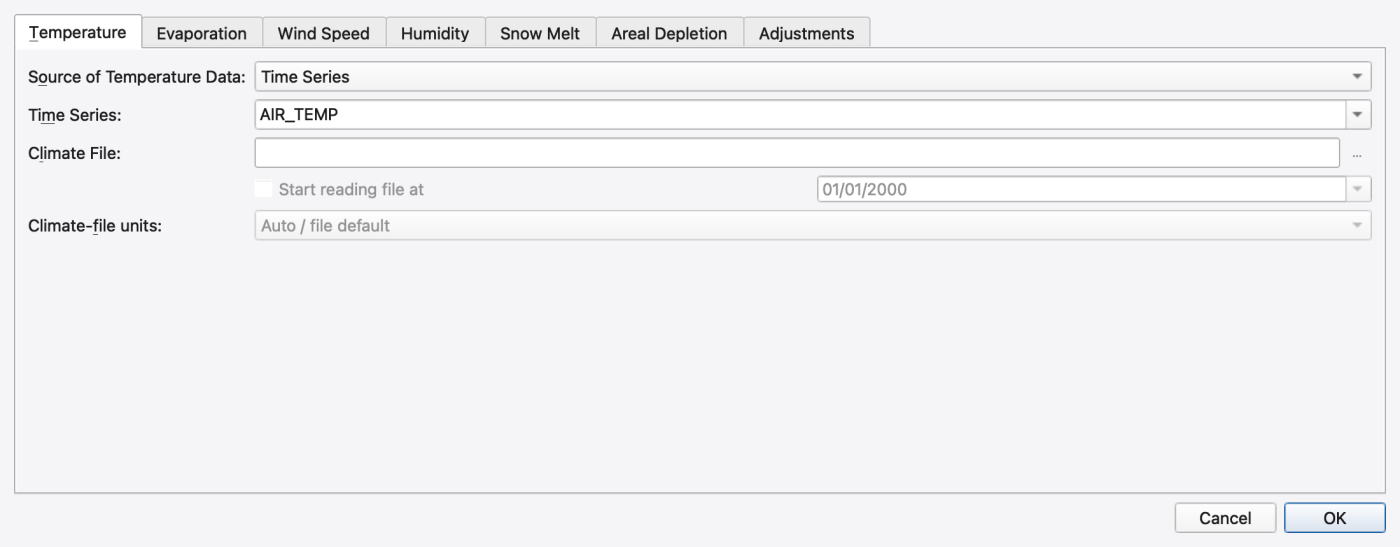
The Source of Evaporation Rates: combo swaps the panel below it:
| Source | Panel |
|---|---|
| Constant Value | A single Evaporation rate in in/day or mm/day |
| Monthly Averages | A 12-row Monthly Evaporation table |
| Time Series | A Time Series picker |
| Temperatures (Hargreaves) | No inputs — a note explaining that evaporation is computed from the daily temperatures in the climate file selected on the Temperature page |
| Climate File (pan) | A 12-row Monthly Pan Coefficients table |
Two further controls apply to every source:
| Control | What it does | Writes |
|---|---|---|
| Soil Recovery Pattern (optional): | Monthly pattern scaling the infiltration recovery rate; the combo is editable and its empty entry means none | [EVAPORATION] RECOVERY |
| Evaporate only during dry periods | Suppresses evaporation while it is raining | [EVAPORATION] DRY_ONLY |
Units follow the project unit system throughout.
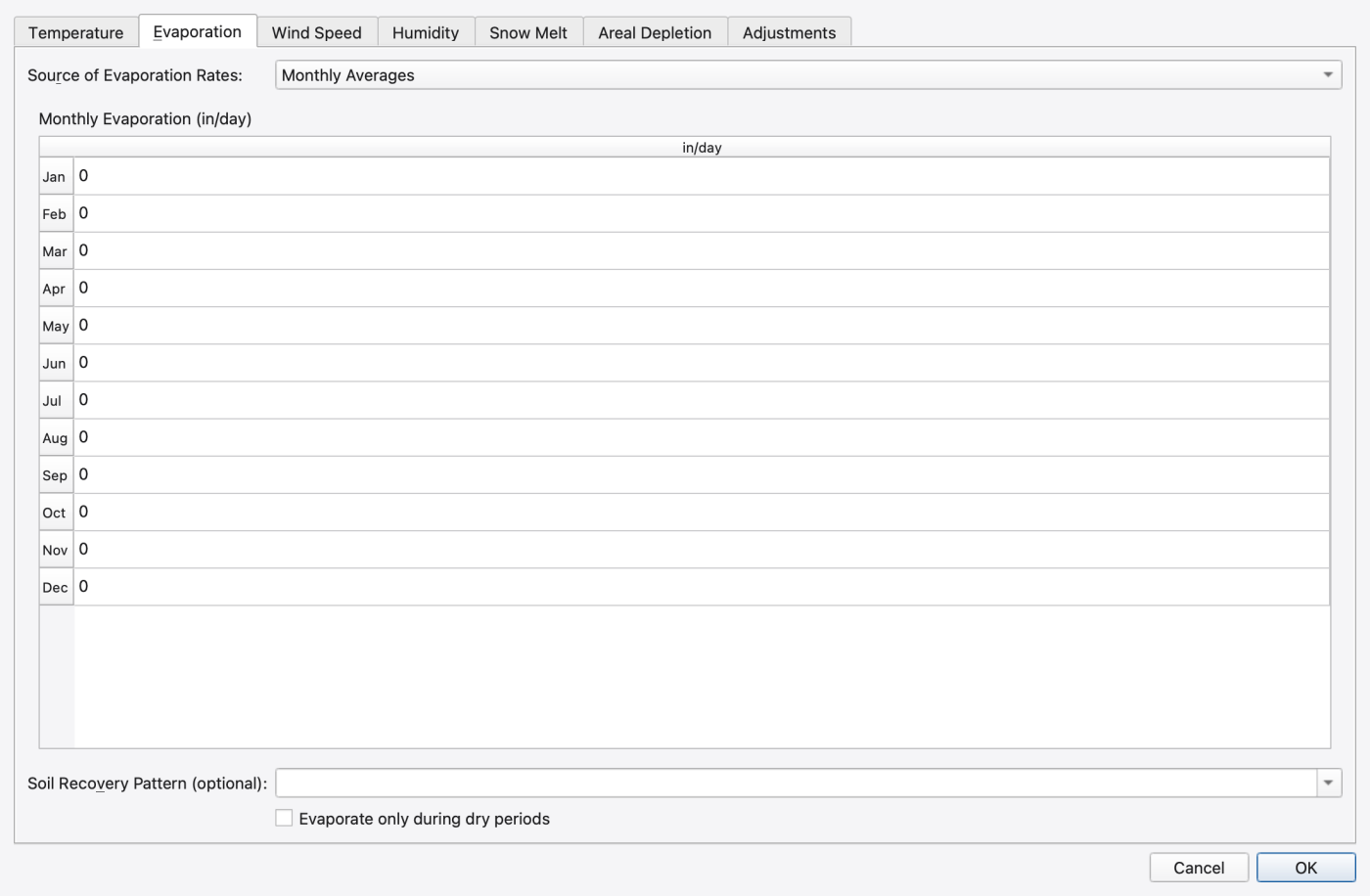
| Control | What it does | Writes |
|---|---|---|
| Source of Wind Speed: | Monthly Averages or Use Climate File (see Temperature page) | [WINDSPEED] |
| Monthly Wind Speed table | Twelve values in mph or km/hr; enabled for the monthly source | [WINDSPEED] MONTHLY |
Choosing the climate-file source here does nothing on its own — the file itself is the one selected on the Temperature tab.
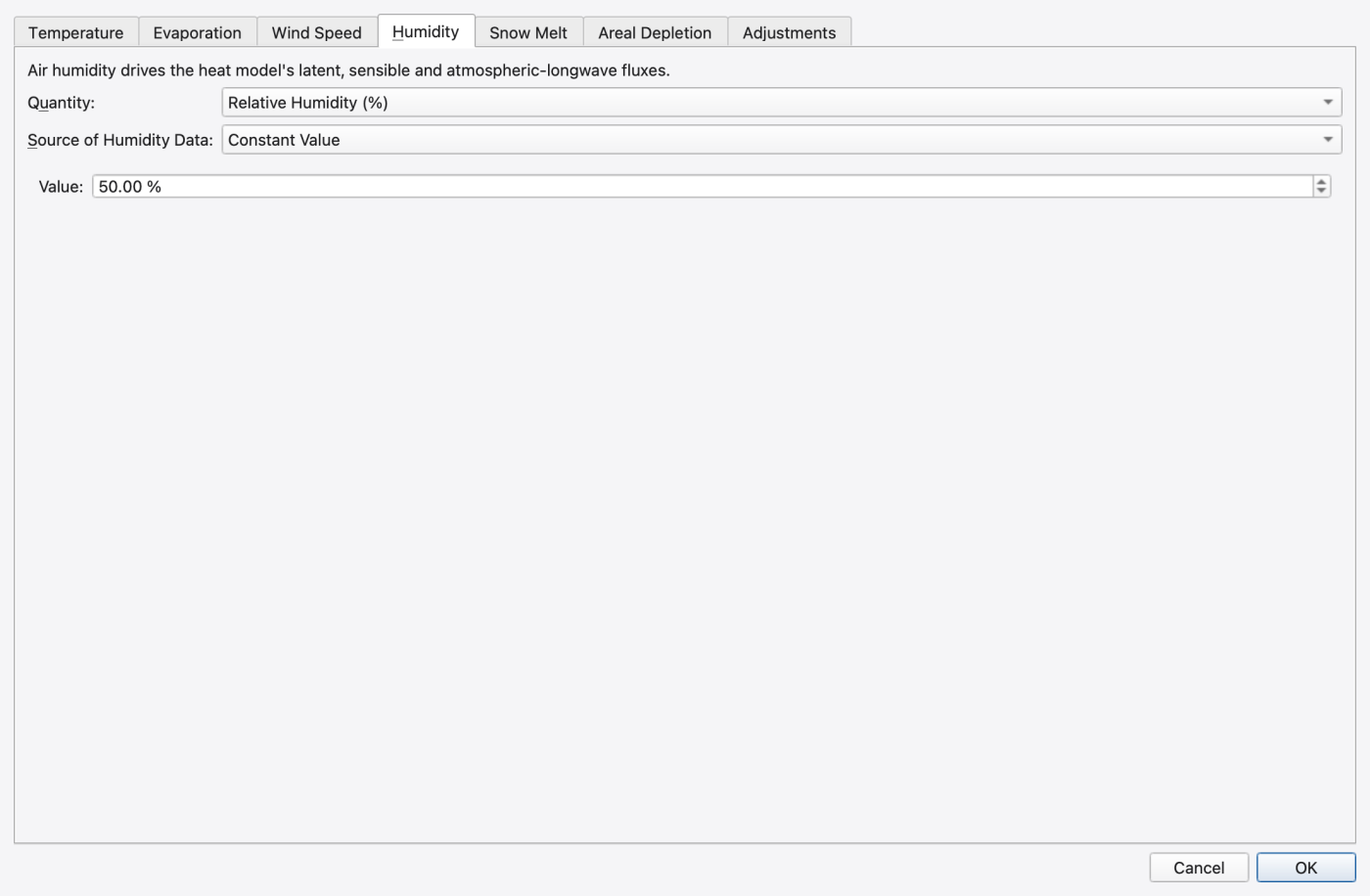
Air humidity is a heat-transport input: it sets the vapour-pressure deficit behind the latent and sensible fluxes and the atmospheric longwave emissivity. The classic hydrology never reads it, so the tab is harmless on a model without HEAT_TRANSPORT ON.
| Control | What it does | Writes |
|---|---|---|
| Quantity: | Relative Humidity (%) or Dew Point Temperature (°F / °C) | HUMIDITY vs HUMIDITY DEWPOINT |
| Source of Humidity Data: | Constant Value, Monthly Averages or Time Series | <value>, MONTHLY h1 … h12, TIMESERIES <name> |
| Value / monthly table / time-series combo | The value(s) for the chosen source | — |
A dew point is converted to relative humidity every step from the current air temperature (RH = 100·e_s(T_d)/e_s(T_a), capped at 100 %). The default with no HUMIDITY line is a constant 50 %.
Choose the quantity before entering values, check its units, then choose the source and populate the corresponding controls. Confirm with OK and save the model. Heat-process activation and heat-source settings are separate (16 — Water Quality, Reaction Systems, Water Age and Heat).
Choose Default snow model as Degree day or UEB energy balance. Named snowpacks may follow this default or override it. UEB update interval is in seconds and controls subcatchment and mesh UEB updates; degree-day snow continues to use the runoff timestep. UEB parameters… opens grouped controls for turbulence, snow and soil, the surface-temperature scheme, rain/snow partition, albedo/radiation, and monthly temperature ranges. Zero monthly range uses the temperature source. UEB fields show their own SI units even in a US-unit project. Accept the parameter draft, then press OK in Climatology to apply it.
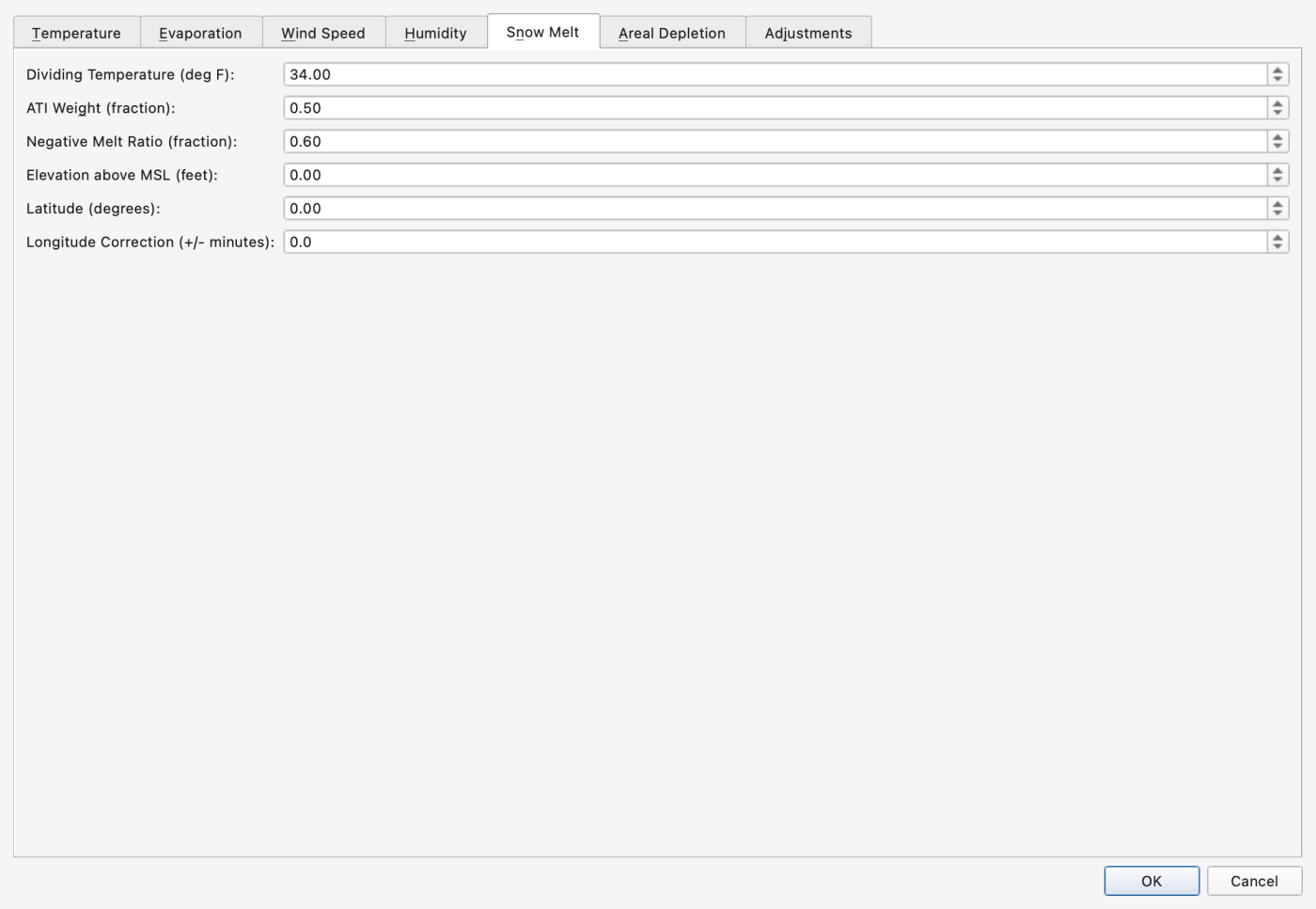
The following classic degree-day parameters are written to the SNOWMELT line. Per-surface melt coefficients, initial snow water equivalent and snow removal live on the individual snowpacks — see 13 — Hydrology: Rain Gages, Subcatchments, LID, Snow, Groundwater and RDII.
| Control | What it does |
|---|---|
| Dividing Temperature | Air temperature separating snow from rain (deg F or deg C) |
| ATI Weight (fraction) | Antecedent temperature index weight |
| Negative Melt Ratio (fraction) | Ratio of the negative-melt to the melt coefficient |
| Elevation above MSL | Site elevation (feet or meters) |
| Latitude (degrees) | Site latitude |
| Longitude Correction (+/- minutes) | Correction between standard and local solar time |
Elevation, latitude and longitude are the classic snowmelt-model site fields. They are not the same fields the heat-transport solar model uses — those are separate from the explicit shared site on Radiation, and use different units; see below.
Use one explicit site for snow and heat enables latitude (degrees north), longitude (degrees east), UTC offset (hours), and elevation (m). Shortwave source and Longwave source select computed values, a named time series in W/m², or an hourly meteorology file. The shortwave default keeps the existing heat configuration; the longwave default is computed.
Hourly meteorology supplies temperature (°C), humidity (%), wind (m/s), and shortwave/longwave radiation (W/m²). Each dated HH:00 row describes the following hour. Preview meteorology and coverage… shows the record count, time range (end excluded), and value ranges before applying. File radiation overrides selected time series or computed radiation. Shared cloud cover selects the UEB default, a constant fraction, or a fraction time series, with shortwave attenuation and longwave coefficients. Measured radiation already includes cloud effects. Press OK to validate and apply the shared draft.
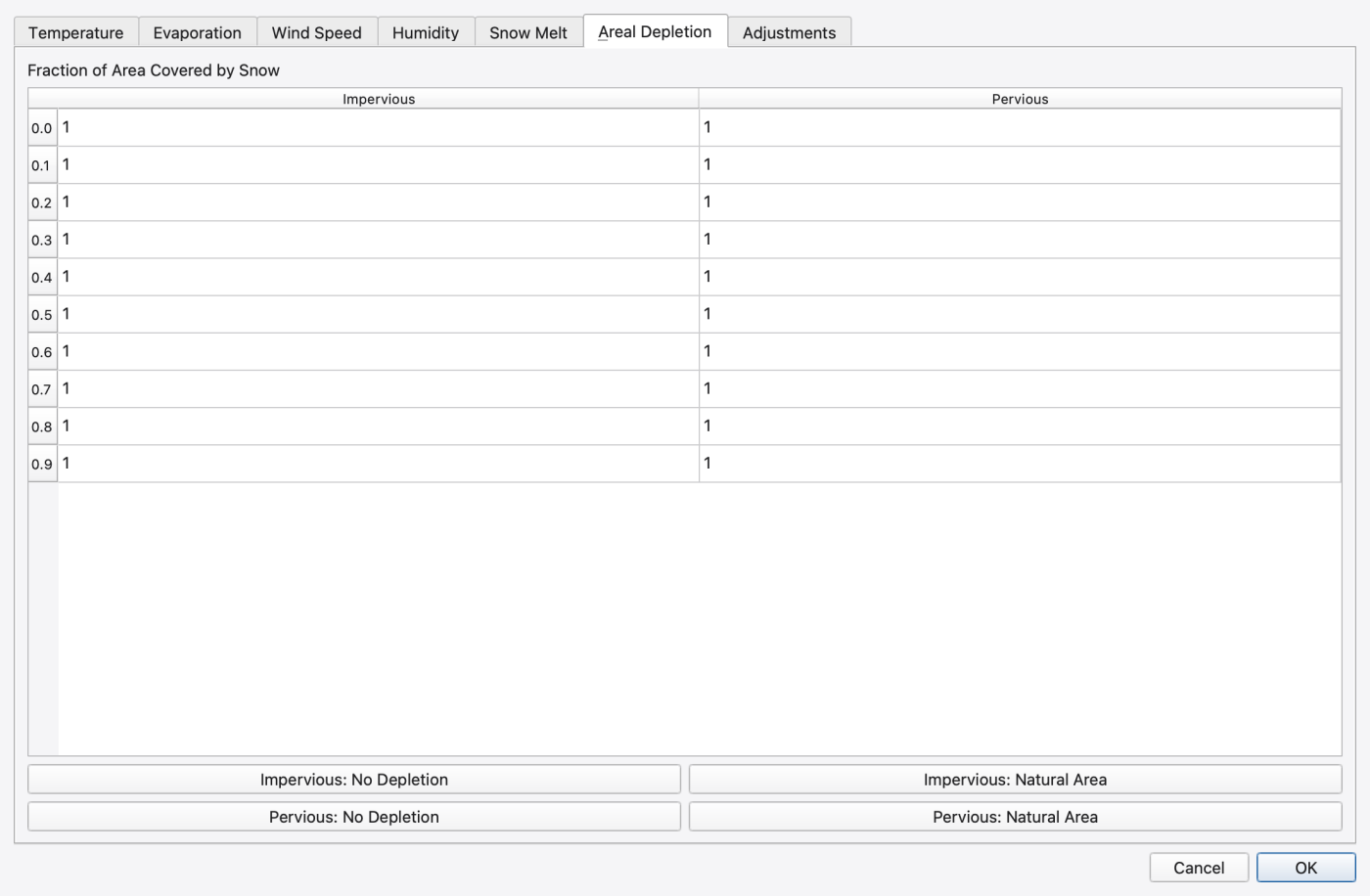
A 10-row × 2-column table, Impervious and Pervious, giving the Fraction of Area Covered by Snow at ten equally spaced ratios of snow depth to depth-at-100 %-cover. Four preset buttons fill a column in one click:
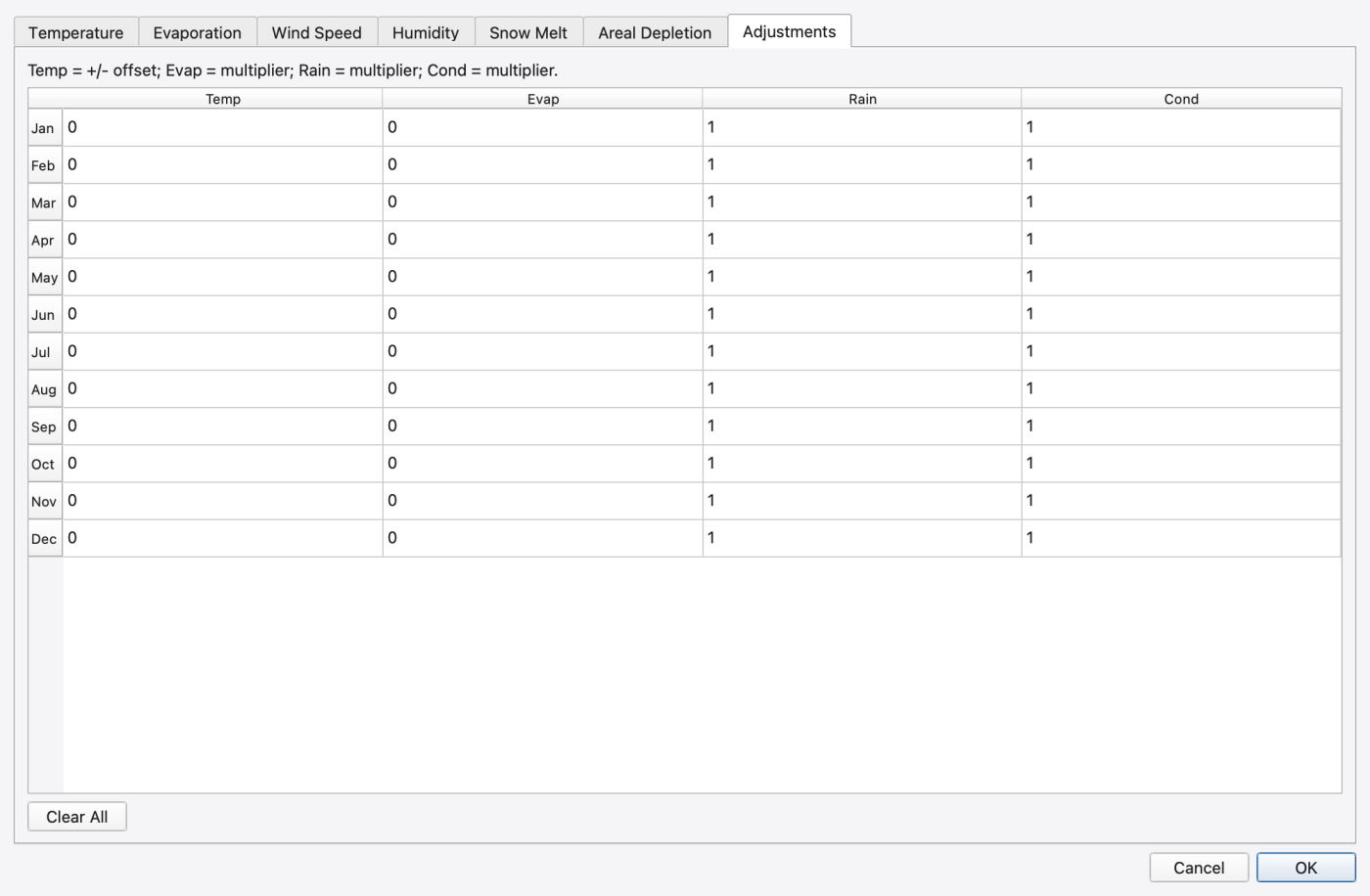
A 12-row (January–December) × 4-column table with the headers Temp, Evap, Rain and Cond. The legend under the table states the convention exactly: Temp = +/- offset; Evap = multiplier; Rain = multiplier; Cond = multiplier — so a neutral month is 0 in the Temp column and 1 in the other three. Clear All restores that neutral state (0 / 1 / 1 / 1) for all twelve months.
Cond adjusts hydraulic conductivity, which is how a seasonal soil adjustment is applied to infiltration.
Heat-specific sources, exchange modules and radiative parameters are edited in Heat Configuration (Model → Heat Configuration…, ribbon Model ▸ Data Objects ▸ Heat) and documented in 16 — Water Quality, Reaction Systems, Water Age and Heat. The shared snow/heat site, cloud and forcing sources are edited on Climatology's Radiation tab. Apply and open shared snow and radiation forcing… in Heat Configuration applies the heat settings and opens that shared editor. The summary here describes the heat-specific controls.
The dialog has Sources, Fluxes, Radiative, Solar, Cloud, Channel bed and ground, and Spatial properties tabs.
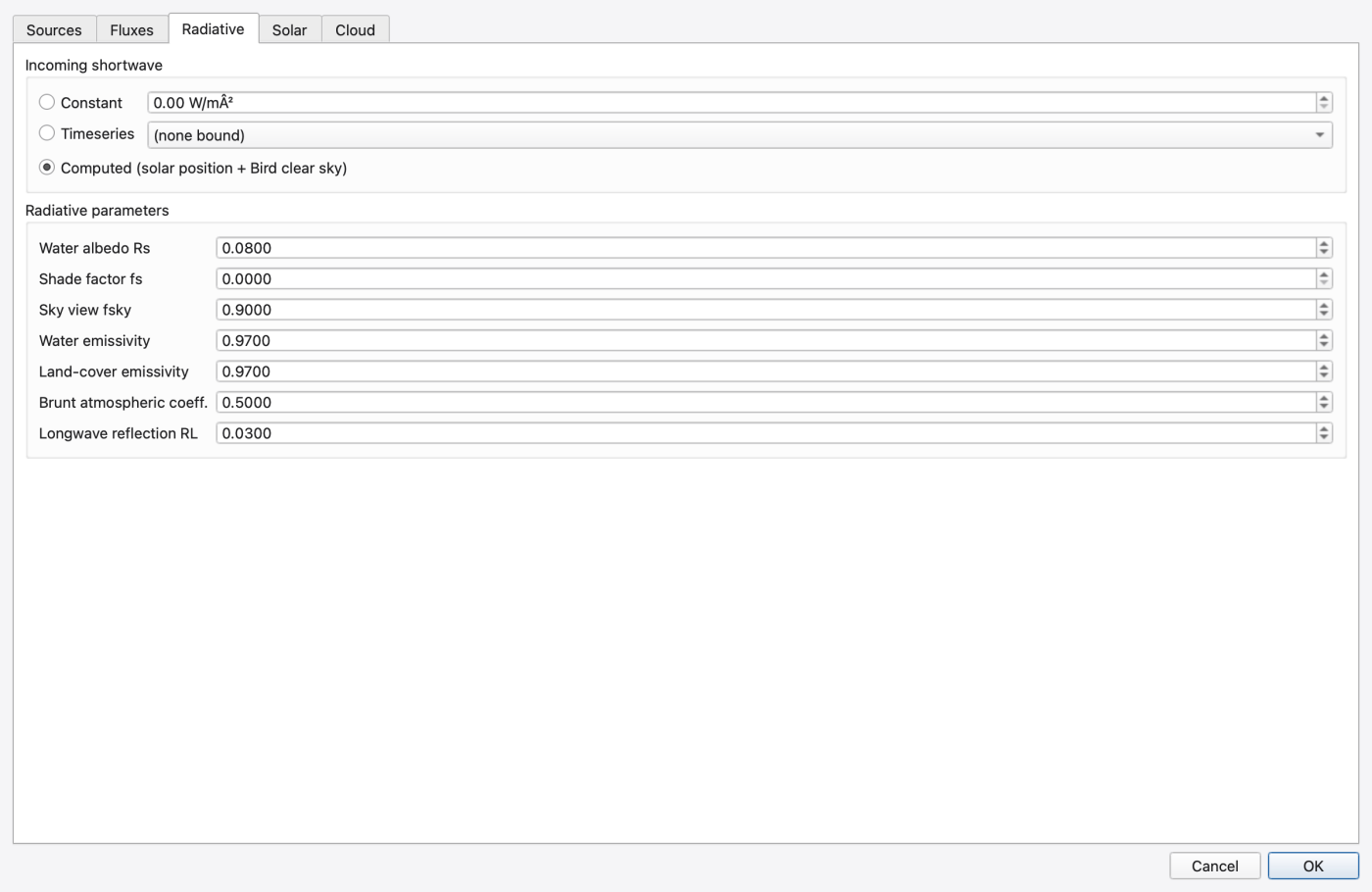
[RADIATIVE_FLUXES]) — an Incoming shortwave group with three mutually exclusive sources: Constant (a value in W/m²), Timeseries (a series picker) or Computed (solar position + Bird clear sky). Below it a Radiative parameters group holds Water albedo Rs, Shade factor fs, Sky view fsky, Water emissivity, Land-cover emissivity, Brunt atmospheric coeff. and Longwave reflection RL.[SOLAR_RADIATION]) — a Site (needed for COMPUTED shortwave) group with Latitude (°, +N), Longitude (°, +E), Timezone (h from UTC) and Elevation (m), and an Atmosphere (Bird clear-sky model) group with Aerosol depth at 380 nm, Aerosol depth at 500 nm, Precipitable water (cm), Ozone column (cm) and Ground albedo (land).[CLOUD_COVER]) — a Cloud cover configured check box gating Fraction [0..1], Shortwave atten. k, Shortwave atten. n, Longwave cloud k and a Fraction timeseries picker.Two things to keep straight:
The five project evaporation methods supply the mesh only when its evaporation mode is Project climate rate. Forced only waits for explicit cell rates; its default does not automatically use climate evaporation. Off retains configuration but supplies no mesh evaporation demand. Monthly adjustments can change a zero base rate.
Actual surface evaporation uses available water first. Mesh soil ET uses the remaining demand, subject to moisture stress and available storage. Capillary rise transfers water internally and is separate from boundary ET. Groundwater Automatic resolves to Both in mesh mode and None in per-subcatchment mode; it requires an active aquifer. Saved settings and effective activity are shown separately.
The dry periods only checkbox applies to the lumped runoff/LID path; the direct mesh evaporation path does not currently apply that condition. Snow sublimation belongs to UEB, while latent heat exchange is a separate thermal calculation. Neither label promises a single coupled mass/energy evaporation model.
 1.9.8
1.9.8