 |
SWMMVis
6.0.0-alpha.4
Qt6/C++ GIS-based graphical user interface for the SWMMVis engine (6.0.0-alpha.4)
|
|
SWMMVis
6.0.0-alpha.4
Qt6/C++ GIS-based graphical user interface for the SWMMVis engine (6.0.0-alpha.4)
|
Define the constituents a simulation transports and the processes that change them: pollutants and their decay, land uses with build-up / wash-off and street sweeping, per-node treatment expressions, initial in-network concentrations, a multispecies reaction system compiled from expressions, water-age tracking, and heat transport with radiative and solar forcing. Every one of these writes a section of the .inp file (or, for reactions, a companion .rxn file registered in [PROCESS_COMPONENTS]), and every constituent a run carries becomes a themeable, plottable result attribute afterwards.
FIGURE PLACEHOLDERdocs/manual/images/16_quality_overview.png
| What | Where |
|---|---|
| Pollutants | Model → Data Objects → Pollutants…; Object Browser → Pollutants → double-click |
| Land Uses (build-up / wash-off / sweeping) | Model → Data Objects → Land Uses…; Object Browser → Land Uses |
| Coverages and Loadings | Subcatchment Properties panel — compound cells (see 13 — Hydrology: Rain Gages, Subcatchments, LID, Snow, Groundwater and RDII) |
| Treatment | Node Properties panel → Treatment cell; Attribute Table → Treatment column |
| Initial Quality… | Model → Initial Quality…; per-element from the node/link Properties panel |
| Reaction System… | Model → Reaction System…; ribbon Model tab, Reaction System |
| Heat Configuration… | Model → Heat Configuration…; ribbon Model tab, Heat |
| Water Age Sources… | Model → Water Age Sources… |
| Transport engine, quality step, dispersion | Model → Simulation Options… → Quality & Transport (18 — Simulation Options) |
None of these carry a default keyboard shortcut. All of them require an open project — with no project the command logs a warning in the Message Logs panel instead of opening.
Model → Data Objects → Pollutants… opens a two-pane editor: the list of pollutants on the left with New and Delete, the field form for the selected pollutant on the right. Edits apply as you type; Close dismisses the dialog (there is no Cancel — a mistake is undone with Edit → Undo).
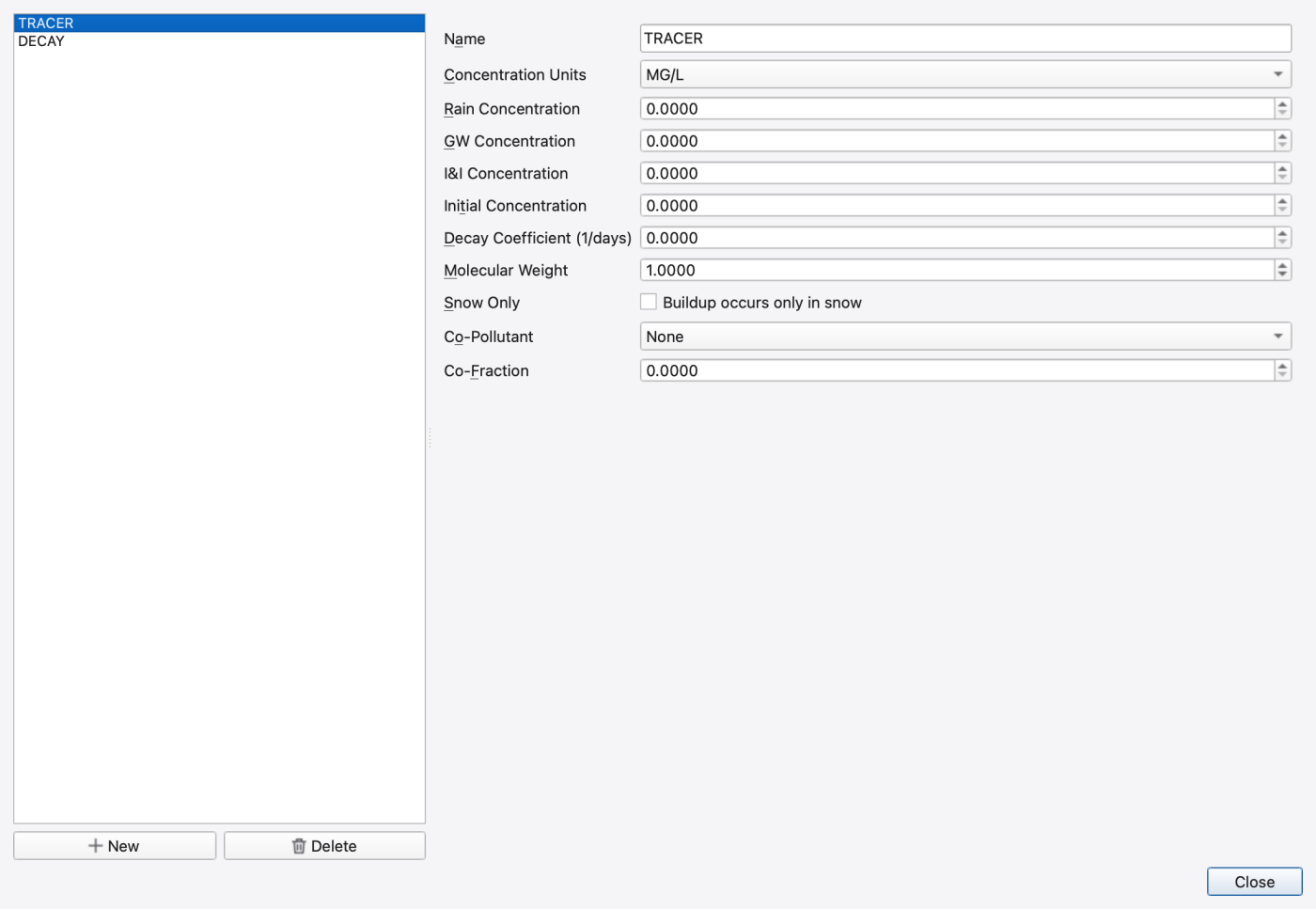
| Control | What it does | Writes |
|---|---|---|
| Name | Pollutant id — must be unique, and a SWMM identifier: no spaces, ;, [ or ] (Total_N or TotalN, never Total N). A duplicate or an invalid name is refused with a message — see the naming rules in 17 — Time Series, Curves, Patterns and Calibration Data | [POLLUTANTS] name |
| Concentration Units | MG/L, UG/L or #/L | units column |
| Rain Concentration | Concentration in rainfall | rain conc. column |
| GW Concentration | Concentration in groundwater inflow | GW conc. column |
| I&I Concentration | Concentration in RDII / infiltration inflow | I&I conc. column |
| Initial Concentration | Concentration everywhere in the network at t = 0 | initial conc. column |
| Decay Coefficient (1/days) | First-order decay rate | decay column |
| Snow Only | Build-up accumulates only while snow is present | snow-only flag |
| Co-Pollutant | Another pollutant this one is co-generated with; a pollutant cannot reference itself | co-pollutant column |
| Co-Fraction | Fraction of the co-pollutant's runoff concentration | co-fraction column |
Units are write-once. The engine has no "change units" call, so the Concentration Units combo only takes effect for a pollutant that has not yet been created on the engine. Changing it on an existing pollutant does not convert the model; delete and re-add the pollutant instead.
Deleting a pollutant cascades — its build-up and wash-off rows, coverages, loadings, treatment expressions and initial-quality rows go with it. The confirmation prompt names the pollutant before it does.
Model → Data Objects → Land Uses… opens the same list-plus-detail shape, with the detail pane split into three tabs. Rows in the two function tables are the model's pollutants and re-dimension automatically as pollutants are added, removed or renamed while the dialog is open.
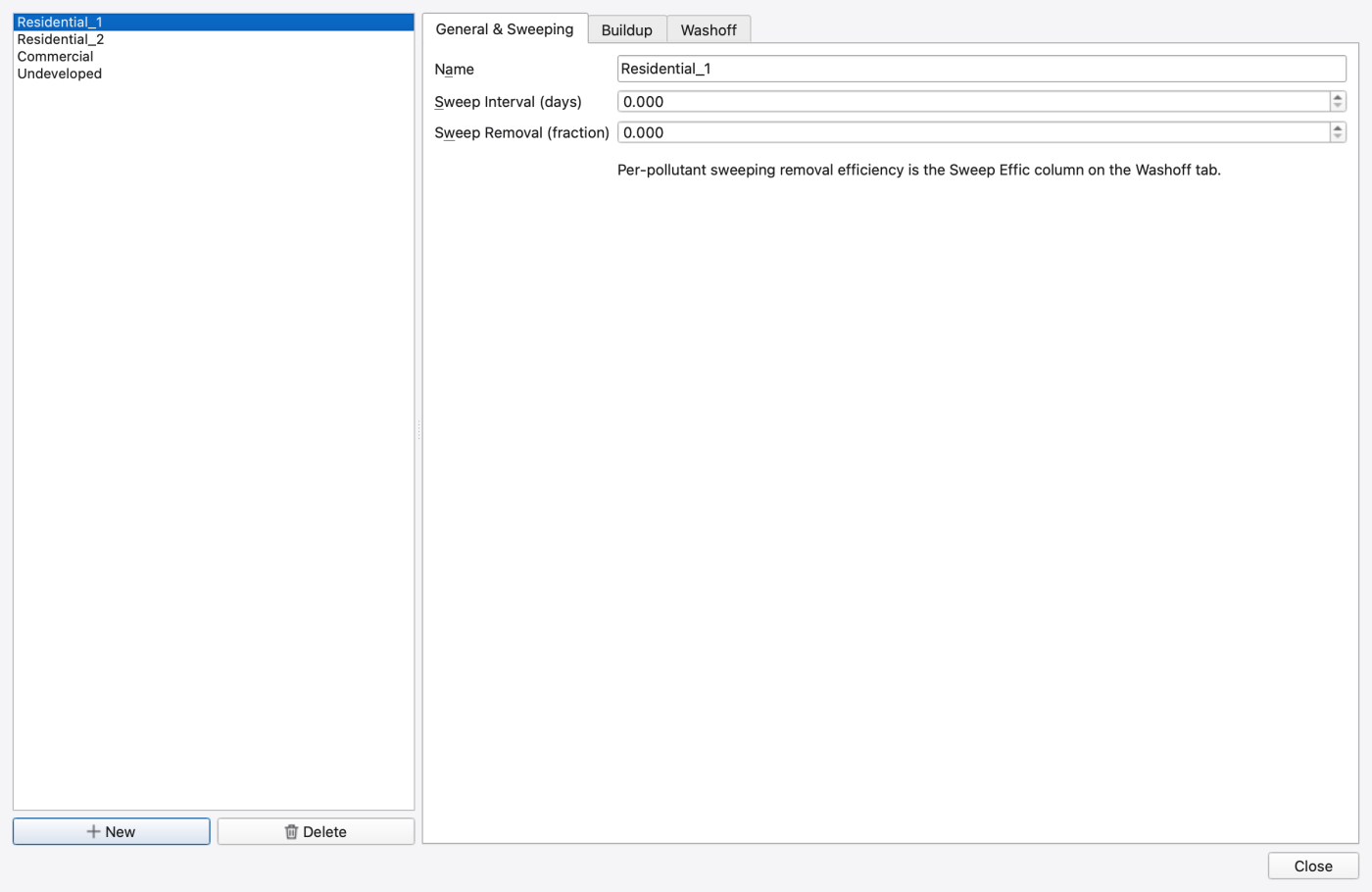
General & Sweeping tab:
| Control | What it does | Writes |
|---|---|---|
| Name | Land-use id | [LANDUSES] name |
| Sweep Interval (days) | Days between street-sweeping events | [LANDUSES] sweep interval |
| Sweep Removal (fraction) | Fraction of the available build-up that a sweeping event removes | [LANDUSES] availability |
The per-pollutant sweeping efficiency is a separate number and lives on the Washoff tab as Sweep Effic (%); the dialog says so in a hint under the form.
Buildup tab — one row per pollutant, writing [BUILDUP]:
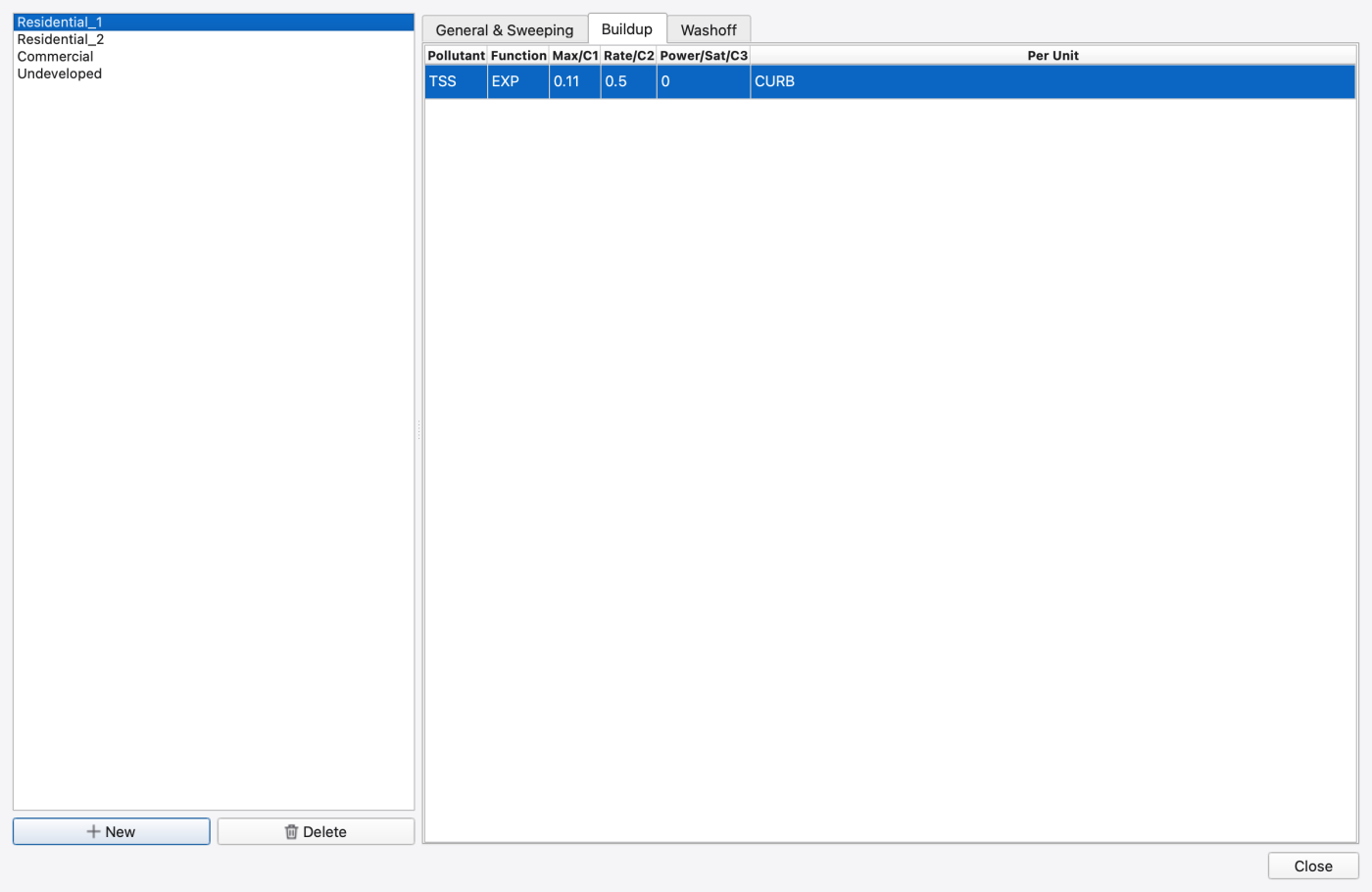
| Column | What it does |
|---|---|
| Pollutant | Row label; read-only |
| Function | NONE, POW, EXP, SAT or EXT |
| Max/C1 | Maximum build-up / first coefficient |
| Rate/C2 | Rate constant / second coefficient |
| Power/Sat/C3 | Power, saturation constant, or — under EXT — the index of a driving time series |
| Per Unit | Normaliser: AREA or CURB |
Under the EXT function the third coefficient holds a time-series table index, not a number. The cell is read-only in that case and shows (series #N) with a tooltip explaining why, so a numeric edit cannot corrupt the reference.
Washoff tab — one row per pollutant, writing [WASHOFF]:
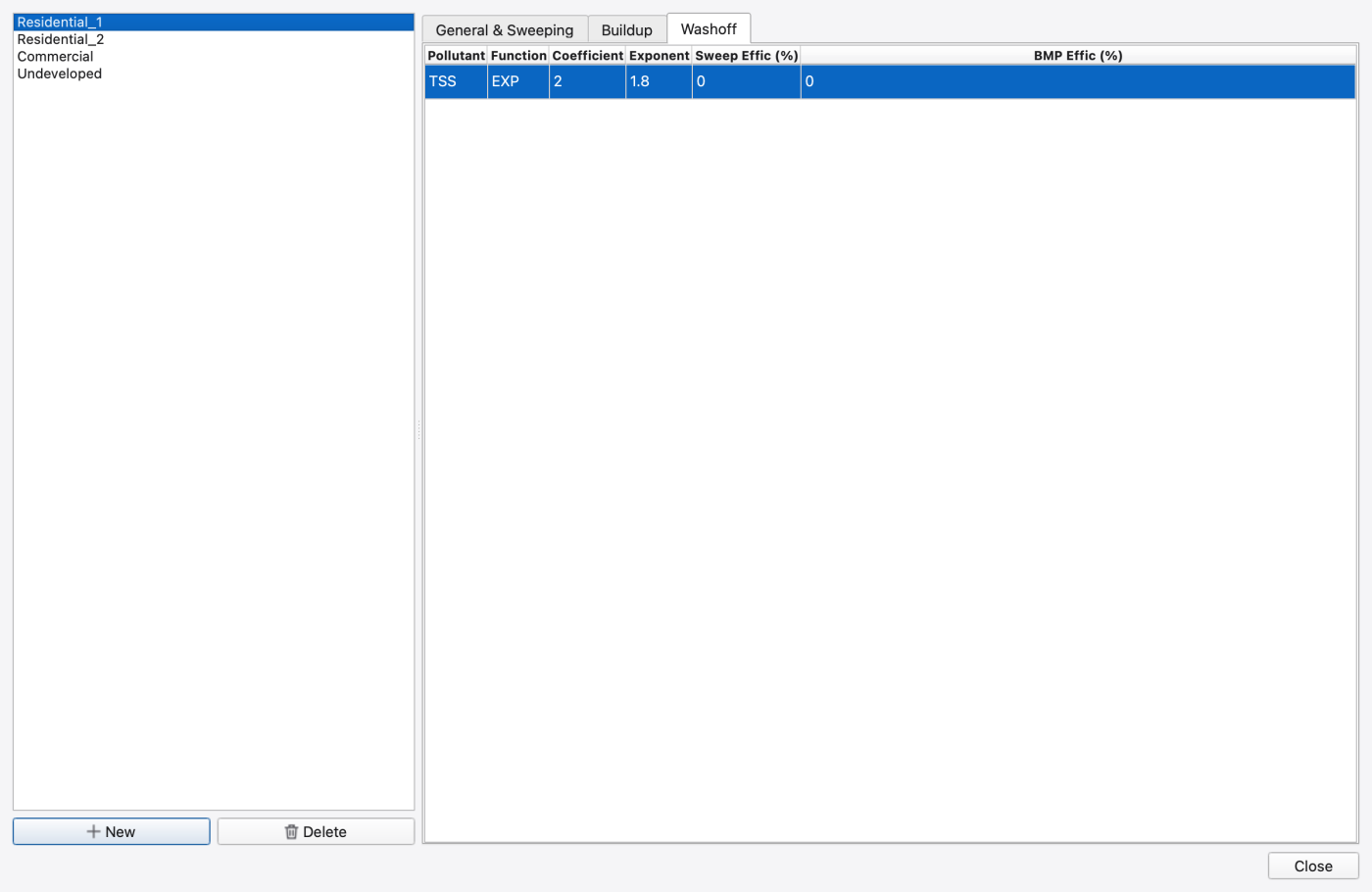
| Column | What it does |
|---|---|
| Pollutant | Row label; read-only |
| Function | NONE, EXP, RC or EMC |
| Coefficient | Wash-off coefficient |
| Exponent | Wash-off exponent |
| Sweep Effic (%) | Per-pollutant street-sweeping removal efficiency |
| BMP Effic (%) | Per-pollutant BMP removal efficiency |
Deleting a land use is impact-aware: the confirmation lists what else is removed (its build-up and wash-off rows and any subcatchment coverages that reference it) before the delete runs.
A land use only does anything once subcatchments assign area to it. Coverage ([COVERAGES]) and initial surface Loading ([LOADINGS]) are compound cells on the subcatchment in the Properties panel and as columns in the subcatchment attribute table — see 13 — Hydrology: Rain Gages, Subcatchments, LID, Snow, Groundwater and RDII for the subcatchment editor and 11 — Attribute Tables and the Attribute Calculator for editing them in bulk.
Treatment is a per-(node, pollutant) removal expression, edited from the node's Treatment compound cell in the Properties panel or from the Treatment column of the node attribute table. The dialog shows one row per pollutant with an expression cell; clearing a cell removes the expression.
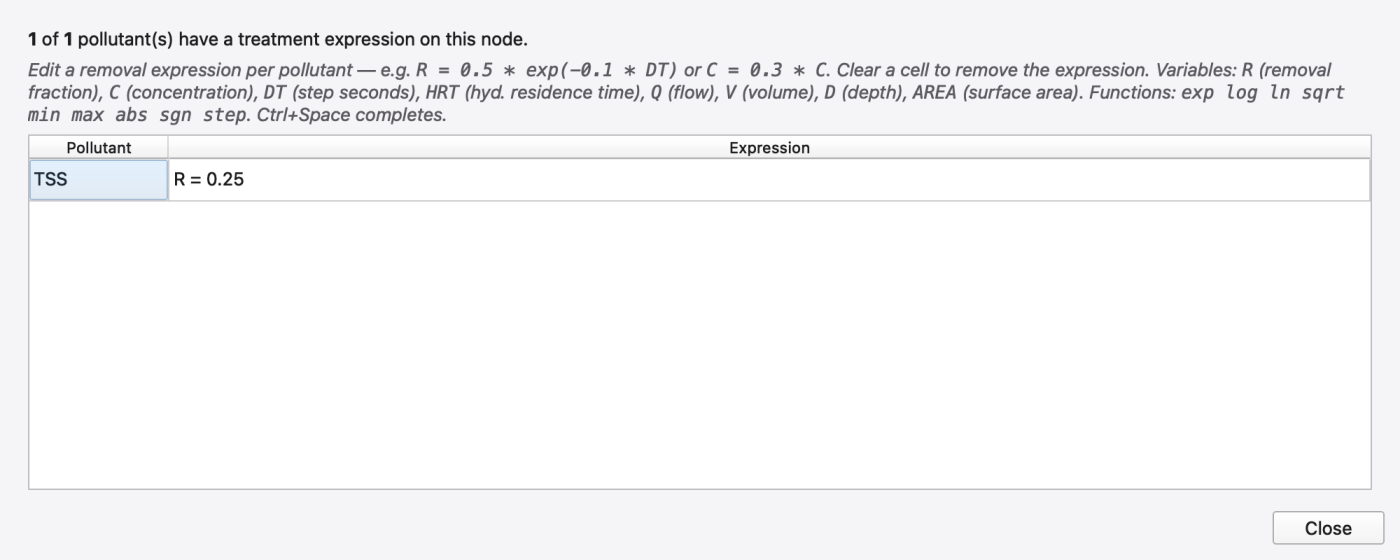
Expressions are of the form R = … (removal fraction) or C = … (outlet concentration). The editor highlights the grammar and completes identifiers as you type; a status banner under the table shows ● Valid expression or the validator's column-numbered complaint. The available variables are C (concentration), R (removal fraction), DT (step, seconds), HRT (hydraulic residence time), Q (flow), V (volume), D (depth) and AREA; the functions are exp, log, ln, sqrt, min, max, abs, sgn and step. The engine's own validator has the last word — an expression it rejects is not written.
Model → Initial Quality… opens a single add/remove table of per-element starting concentrations, applied at the start of the run.
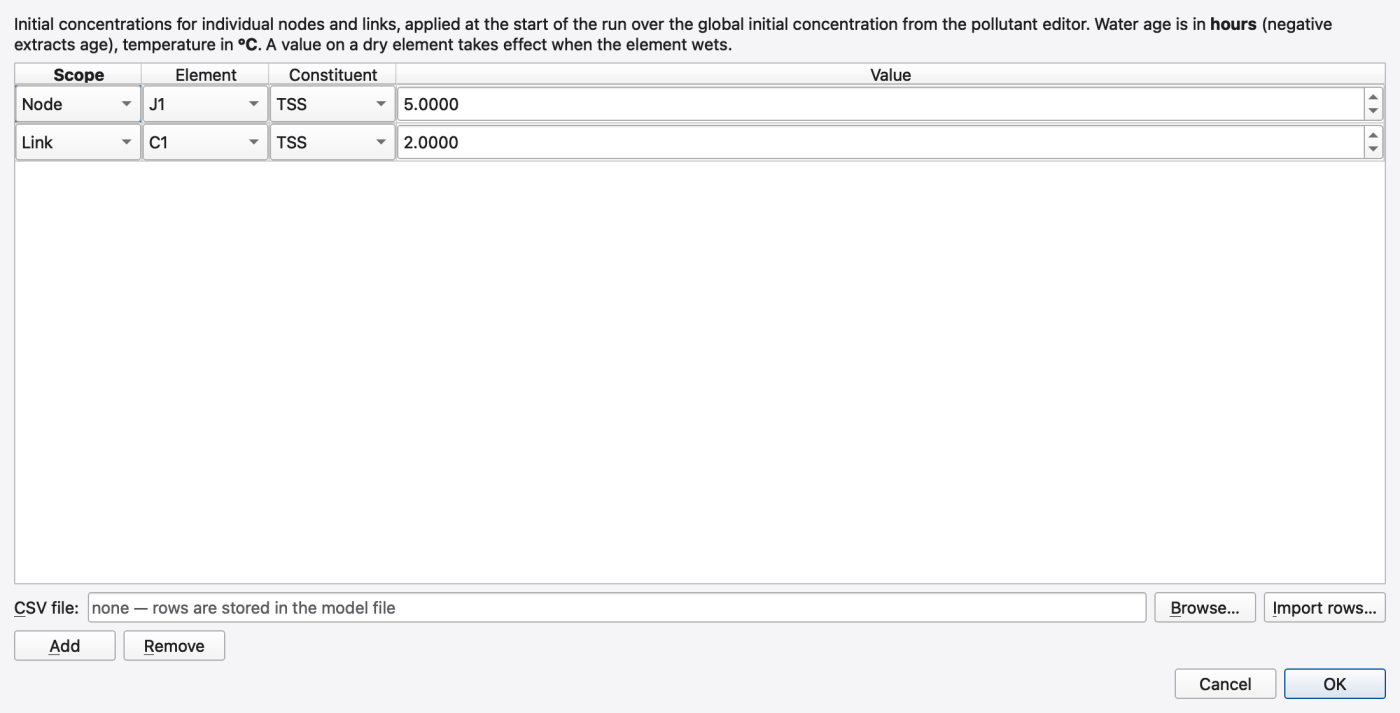
These rows are loaded from tutorials/models/node_editor_example.inp. The file is an editor demonstration with an unresolved quality continuity error; its initial concentrations and treatment expression are not validated water-quality results. See 14 — Hydraulics: Nodes, Links, Cross-Sections, Streets, Inlets and Controls for the example's limits.
| Column | What it does |
|---|---|
| Scope | Node or Link |
| Element | The node or link id, picked from a combo |
| Constituent | Any pollutant, plus Water age (hours) and Temperature (°C) — the reserved species, offered only when their [OPTIONS] toggle is on |
| Value | Pollutant concentration in the pollutant's own units; water age in hours (a negative value is legal); temperature in °C |
Add appends a row, Remove deletes the selected one, and OK writes the table to the engine. The same dialog opens scoped to one element from that element's Initial Quality property cell — the Scope and Element columns collapse, rows belonging to other elements are neither shown nor touched, and Add creates rows pinned to that element. Accepting a whole-model edit also reloads the Attribute Table, which surfaces the same rows as per-constituent columns.
For a 2D model the engine also reads [2D_INITIAL_QUALITY] and [2D_BOUNDARY_QUALITY]. SWMMVis has no dedicated editor for those two sections — it round-trips them unchanged when the deck is saved, so hand-edited values survive. See 19 — 2D Overland Flow: Meshes, Cell Parameters, Boundary Conditions and 1D–2D Coupling.
Model → Reaction System… opens a non-modal, tabbed editor for a multispecies reaction system: species you declare, coefficients they use, named intermediate terms, and one kinetic expression per species and scope. Every structured edit applies to the engine immediately and is validated there; a rejected edit is rolled back and the reason appears in the status line at the bottom of the dialog, so the model can never reach a state that will not compile. Persistence to disk happens only on Save to File.
Options tab — writes [REACTION_OPTIONS] in the .rxn file:
| Control | Values | Writes |
|---|---|---|
| Solver | EUL, RK5, ROS2, BDF2 | SOLVER |
| Coupling | NONE, FULL | COUPLING |
| Rate units | SEC, MIN, HR, DAY | RATE_UNITS |
| Area units | FT2, M2, CM2 | AREA_UNITS |
| Reaction step (s, 0 = quality step) | Sub-step for the kinetics integrator | TIMESTEP |
| Absolute tolerance | Integrator absolute tolerance | ATOL |
| Relative tolerance | Integrator relative tolerance | RTOL |
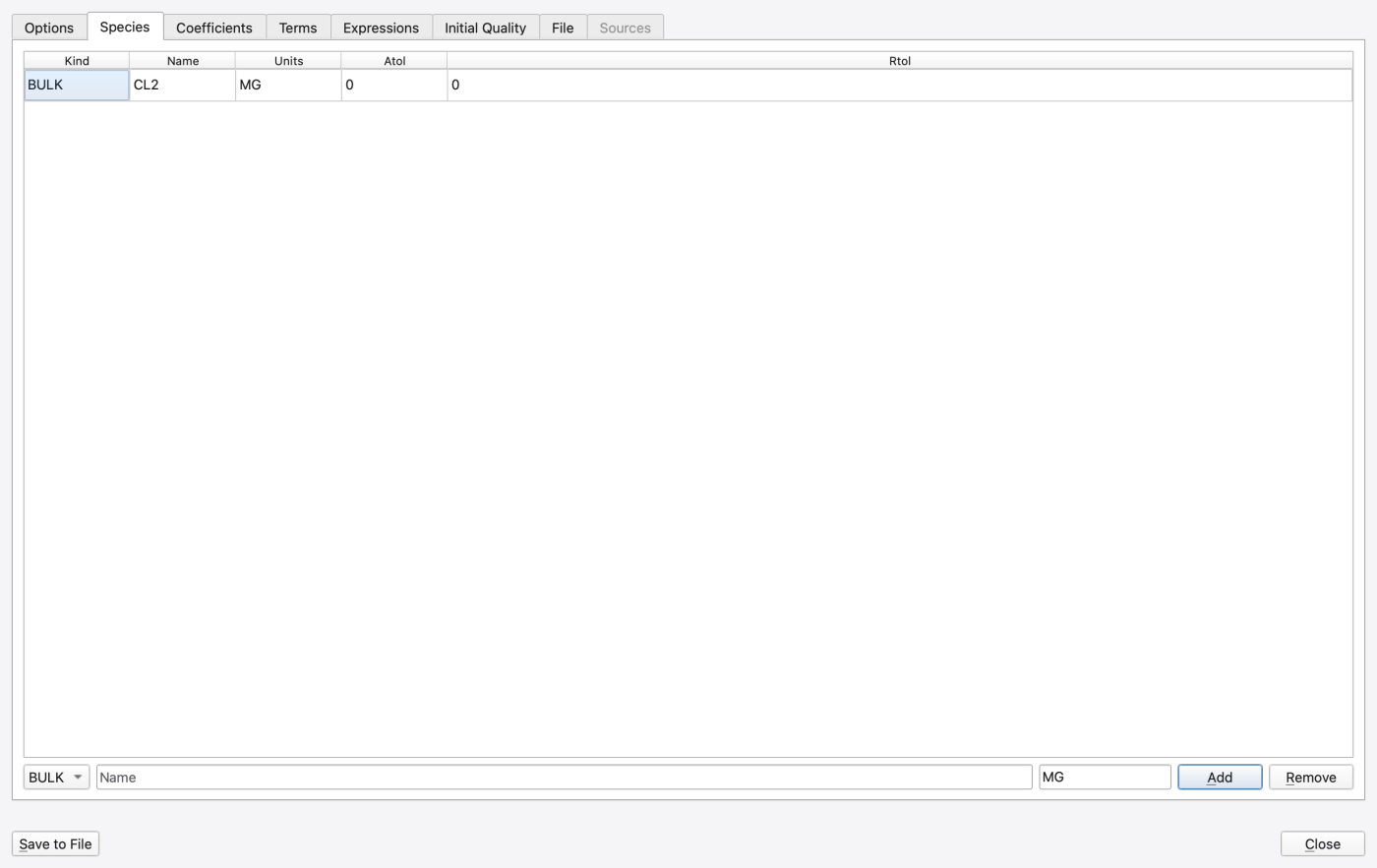
Species tab — writes [REACTION_SPECIES]. Each row is Kind, Name, Units, Atol, Rtol; the add row at the bottom takes a kind (BULK or WALL), a name and a units string (MG by default). BULK species live in the water column; WALL species live on the wetted surface. Removing a species that an expression still references is refused, and the status line says so.
Coefficients tab — writes [REACTION_COEFFICIENTS]. Rows are Kind (PARAMETER or CONSTANT), Name and Value. A CONSTANT is fixed for the whole model; a PARAMETER is a per-element quantity the deck can override. Removal is refused while an expression still references the name.
Terms tab — writes [REACTION_TERMS]. A term is a named sub-expression you can reuse in the kinetic expressions, edited in the same expression cell as the expressions themselves. An invalid term is refused and the previous one is kept.
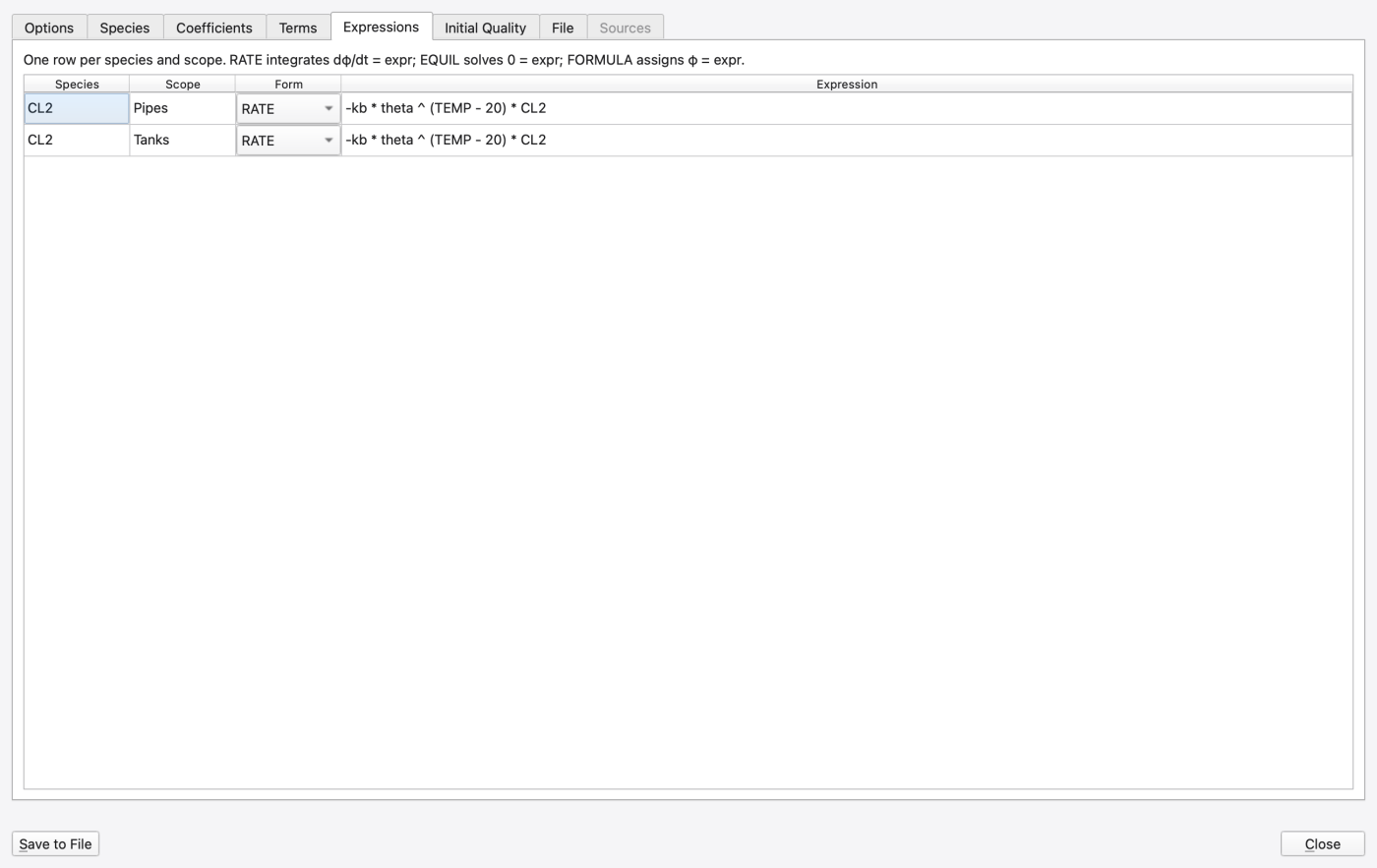
Expressions tab — writes [REACTION_PIPES] and [REACTION_TANKS]. There are two rows per species, one for each scope:
| Column | What it does |
|---|---|
| Species | Row label; read-only |
| Scope | Pipes (flowing conduits) or Tanks (storage units) |
| Form | None, RATE, EQUIL or FORMULA |
| Expression | The right-hand side |
RATE integrates dφ/dt = expr; EQUIL solves expr = 0 for the species; FORMULA assigns φ = expr directly. Choosing a form with an empty expression cell is refused with a prompt to enter one first.
The expression cell is a completing editor whose vocabulary comes from the engine, not from a hard-coded list, so it cannot drift from what actually compiles. It highlights and completes:
D (depth, ft), Q (flow, cfs), U (velocity, ft/s), RE (Reynolds number), US (shear velocity, ft/s), FF (Darcy–Weisbach friction factor), AV (wetted surface area per volume, 1/ft), HRT (hydraulic residence time, s), DT (reaction step, s) and TEMP (water temperature, °C — the TEMPERATURE option when heat transport is off). Variable names are matched case-insensitively;EXP, LOG, LOG10, SQRT, ABS, SGN, STEP, SIN, COS, TAN (one argument) and MIN, MAX, POW (two arguments).Press Ctrl+Space — or just type two characters — for the completion list. Validation runs as you type and again on commit; the authoritative verdict is the engine's own expression compiler.
Initial Quality tab — writes [REACTION_QUALITY]. The upper table sets a GLOBAL initial value per species; the lower one adds NODE / LINK overrides with Add and Remove.
File tab — the whole reaction system serialised as .rxn text. Editing the text and leaving the tab applies it back to the engine (an unparsable text keeps you on the tab and reports the error); Discard text edits re-reads the engine instead. The structured tabs and the File tab are two views of one state, which is what keeps them in step.
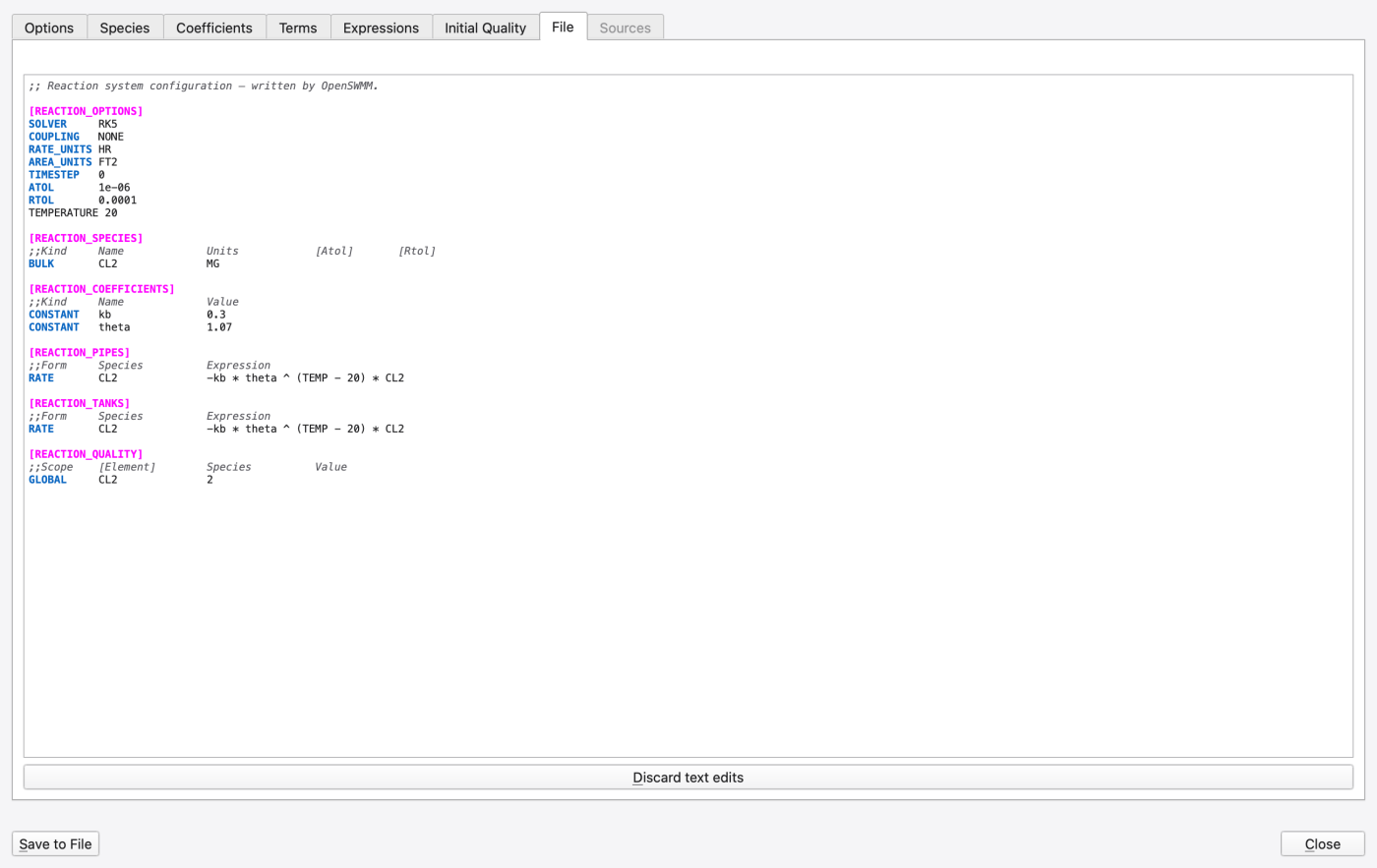
Save to File writes the .rxn file registered for this model in [PROCESS_COMPONENTS]. When no reactions component is bound yet, SWMMVis offers to register one and create the config file in a single step; the title bar shows the bound file, or *(no file bound)*. Nothing is written to disk until you press Save — the structured edits before that live on the engine only.
Sources tab contains editable tables for node sources, cyclic patterns, parameter overrides, wall contact areas and species output selection. Changes apply together when leaving the tab or saving. An invalid row keeps the draft open and leaves the engine unchanged. Edit configuration opens File for wet/dry selectors and LID layer laws.
MASS uses declared mass units per second; CONC uses external water. FLOWPACED doses arriving water and SETPOINT raises the mixed concentration while water arrives. PATTERN_TIMESTEP is in seconds. Options also exposes WALL_GEOMETRY; explicit tank contact areas use AREA_UNITS.
The File tab supports [REACTION_SUBCATCHMENTS] global/named wet laws, [REACTION_BUILDUP] land-use laws and [REACTION_LIDS] control/layer laws. Wet and dry reactions use separate inventories. Qualified porous LIDs carry retained species, accepted transfers and separate surface/drain/infiltration receipts. Conventional units require full coverage; storage-node bucket/Richards reactors require LEGACY quality and a non-Mesh bottom. Partial capture, covered barrels, WALL chemistry and 2D-owned conventional units remain refused. Full native checkpoints carry qualified LID inventories; state-only hotstarts do not.
Water-age tracking is turned on with WATER_AGE on the Quality & Transport page of Model → Simulation Options…, which writes WATER_AGE ON in [OPTIONS]. Because age is transported by the Eulerian ARD scheme, that page also selects the transport engine — the two keys are written together.
Model → Water Age Sources… sets the age that water carries as it enters the model by each pathway.
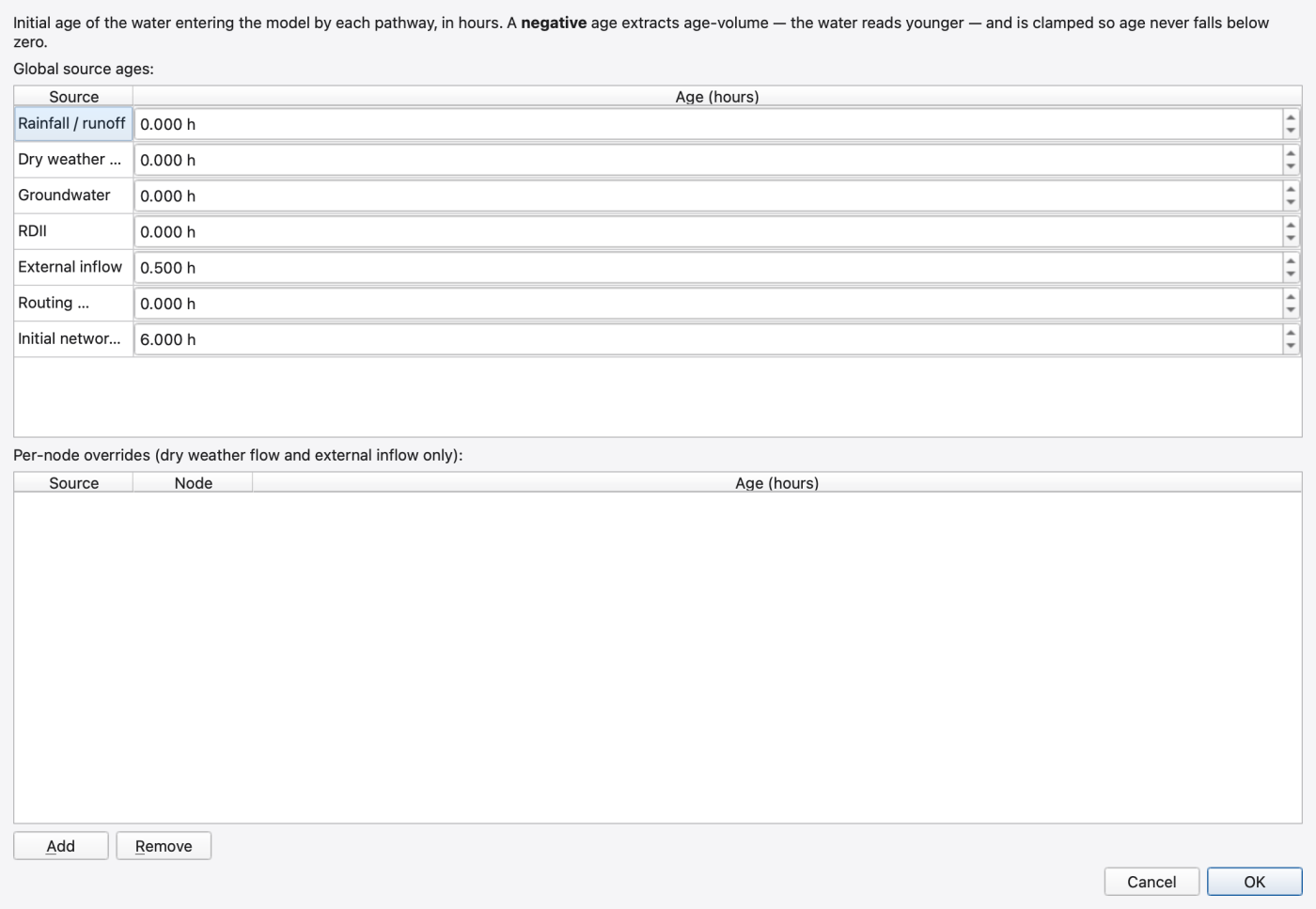
The Global source ages table has one row per pathway, all in hours:
| Pathway | Water it ages |
|---|---|
| Rainfall / runoff | Surface runoff generated by wash-off |
| Dry weather flow | [DWF] inflow |
| Groundwater | Groundwater inflow |
| RDII | Rainfall-derived inflow and infiltration |
| External inflow | [INFLOWS] inflow |
| Routing interface file | Flow read from a routing-interface file |
| Initial network state | Water standing in the network at t = 0 |
The Per-node overrides table below adds NODE-scoped rows with Add and Remove. Only Dry weather flow and External inflow accept overrides — the engine's scope rule, which the source combo enforces. SUBCATCH and EDGE_BC scopes are not available in this build.
Negative ages are legal. A negative source age extracts age-volume, making the receiving water read younger, clamped so that age never falls below zero. The dialog therefore accepts negative values rather than validating them away.
Water age can also be given as an inflow constituent on a node (choose Water age (hours) in the node's Inflows editor); its value column is hours, never mg/L, and the MASS inflow type is not offered for it.
Heat transport is turned on with HEAT_TRANSPORT on the Quality & Transport page of Model → Simulation Options…, writing HEAT_TRANSPORT ON in [OPTIONS]. Model → Heat Configuration… then configures the sources and the flux modules. Temperature transport can also be enabled at the top of Heat Configuration. A status message distinguishes the saved module choices from processes that can run. Switching the master process off retains its settings. The dialog has seven tabs.
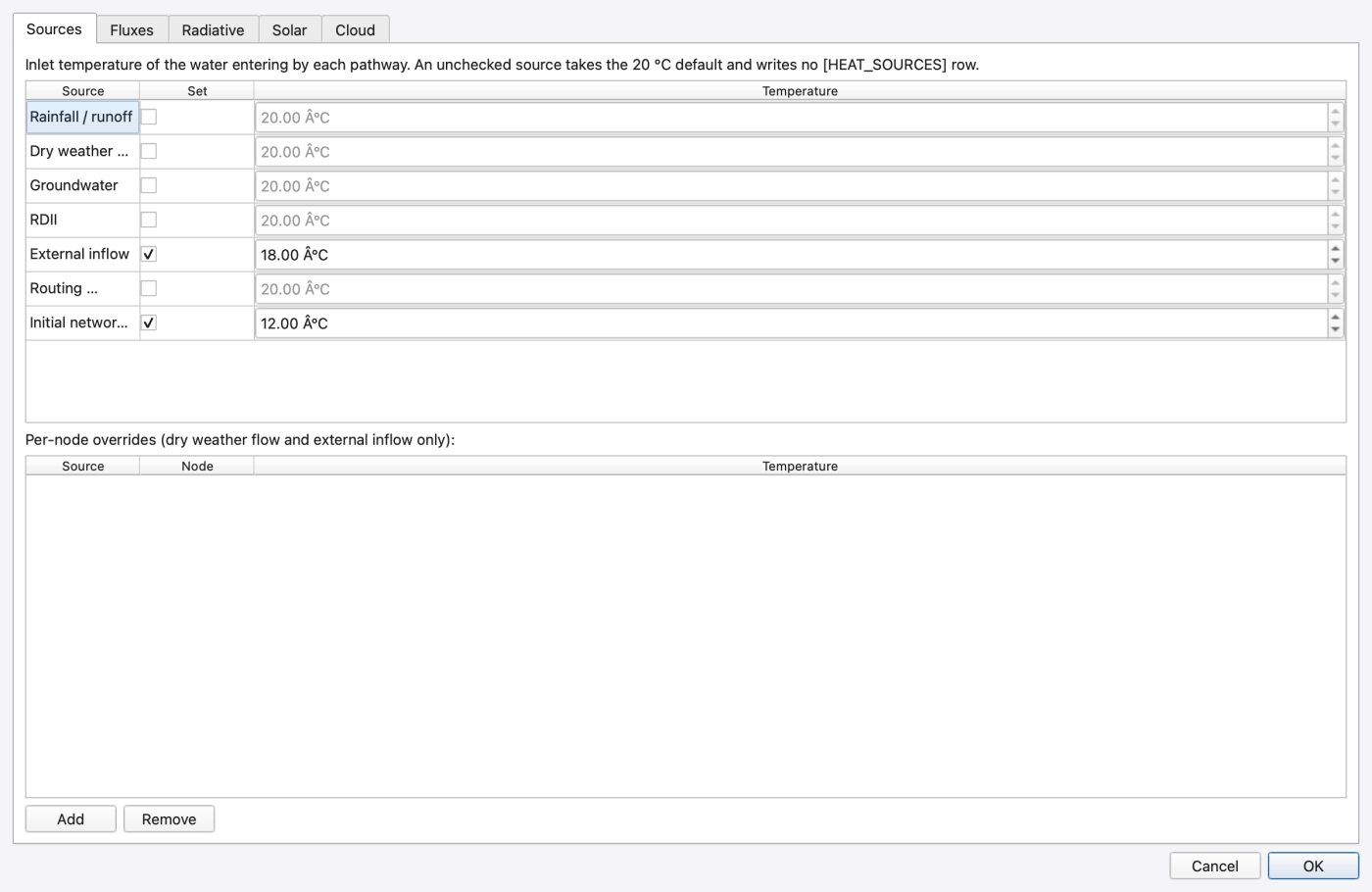
Sources tab — writes [HEAT_SOURCES]. Seven rows, the same pathways as the water-age table, each with a Set check box and a Temperature spin between −50 °C and 100 °C (the range the engine's parser accepts). The check box matters: a source the model never set reads the 20 °C default, and leaving the box clear keeps it that way, so pressing OK on an untouched dialog cannot invent [HEAT_SOURCES] rows. The Per-node overrides table below adds rows for Dry weather flow and External inflow only.
Fluxes tab — writes [HEAT_FLUXES] module toggles:
| Check box | Module |
|---|---|
| Surface exchange (latent + sensible) | SURFACE_EXCHANGE |
| Radiative exchange (shortwave + longwave) | RADIATIVE_EXCHANGE |
| LID layer conduction | LAYER_CONDUCTION |
| Channel bed conduction and hyporheic exchange | SEDIMENT_EXCHANGE |
The dry-element policy chooses whether a dry element holds its last temperature, uses air temperature, or reports the default temperature. LID material assumptions are shown read-only. A checked module does not enable the master heat process. Temperature transported through the 2D mesh does not imply that mesh ground conduction or hyporheic exchange is implemented.
Channel bed and ground — sets thermal and solute diffusivity, bed thickness, deep-ground depth, hyporheic exchange velocity, density and specific heat. Ground temperature can use a constant or time series. Initial bed temperature inherits ground temperature unless explicitly set. All these parameters use SI units. A zero hyporheic velocity gives conduction without hyporheic advection.
Spatial properties — adds radiative and sediment overrides for named links or tags; nodes accept radiative properties only. Removing a row restores inheritance. A global ground-temperature series takes precedence over local constant ground temperatures. Invalid or duplicate overrides are refused.
Heat settings are saved with a companion configuration file. The first heat edit creates a unique relative file reference when the project has none; the file is written beside the model when you save. Keep it with the model when copying the project. Existing configuration paths are retained. Clearing the last override saves defaults rather than restoring obsolete values from the previous file.
Heat and climate settings are applied as a single transaction within each editor. A failed setting rolls back that editor's changes and retains the draft. If another editor changed the same configuration, reopen before applying. The Apply and open shared snow and radiation forcing… button explicitly saves the heat draft before opening Climatology; cancelling Climatology does not undo that earlier save.
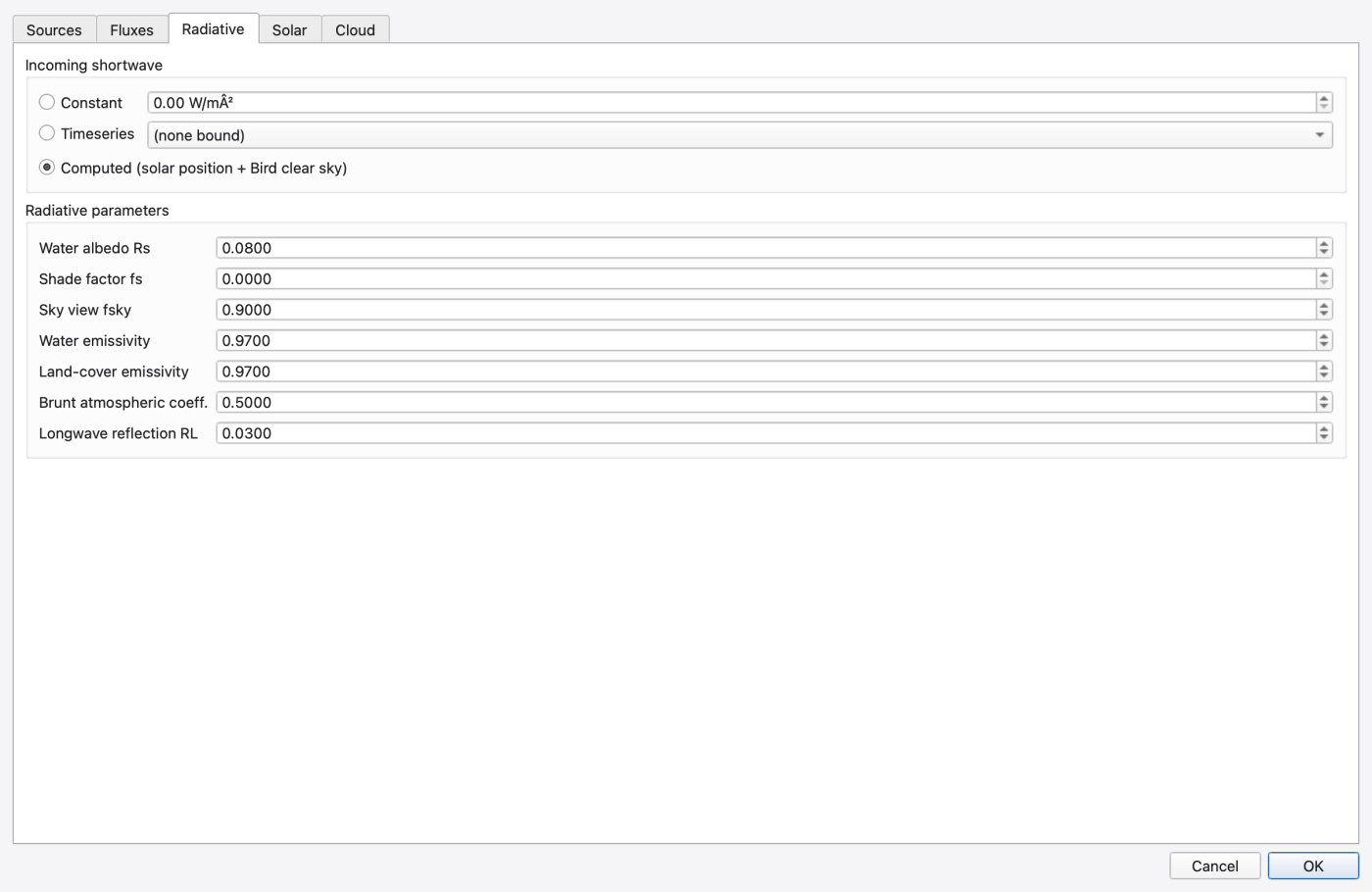
Radiative tab — writes [RADIATIVE_FLUXES]. Incoming shortwave is one of three modes:
| Mode | What it means |
|---|---|
| Constant | A fixed flux in W/m², 0–1500 |
| Timeseries | A named time series supplies the flux |
| Computed (solar position + Bird clear sky) | Computed from the site geometry on the Solar tab |
The Radiative parameters group holds seven fractions, all 0–1: Water albedo Rs, Shade factor fs, Sky view fsky, Water emissivity, Land-cover emissivity, Brunt atmospheric coeff. and Longwave reflection RL.
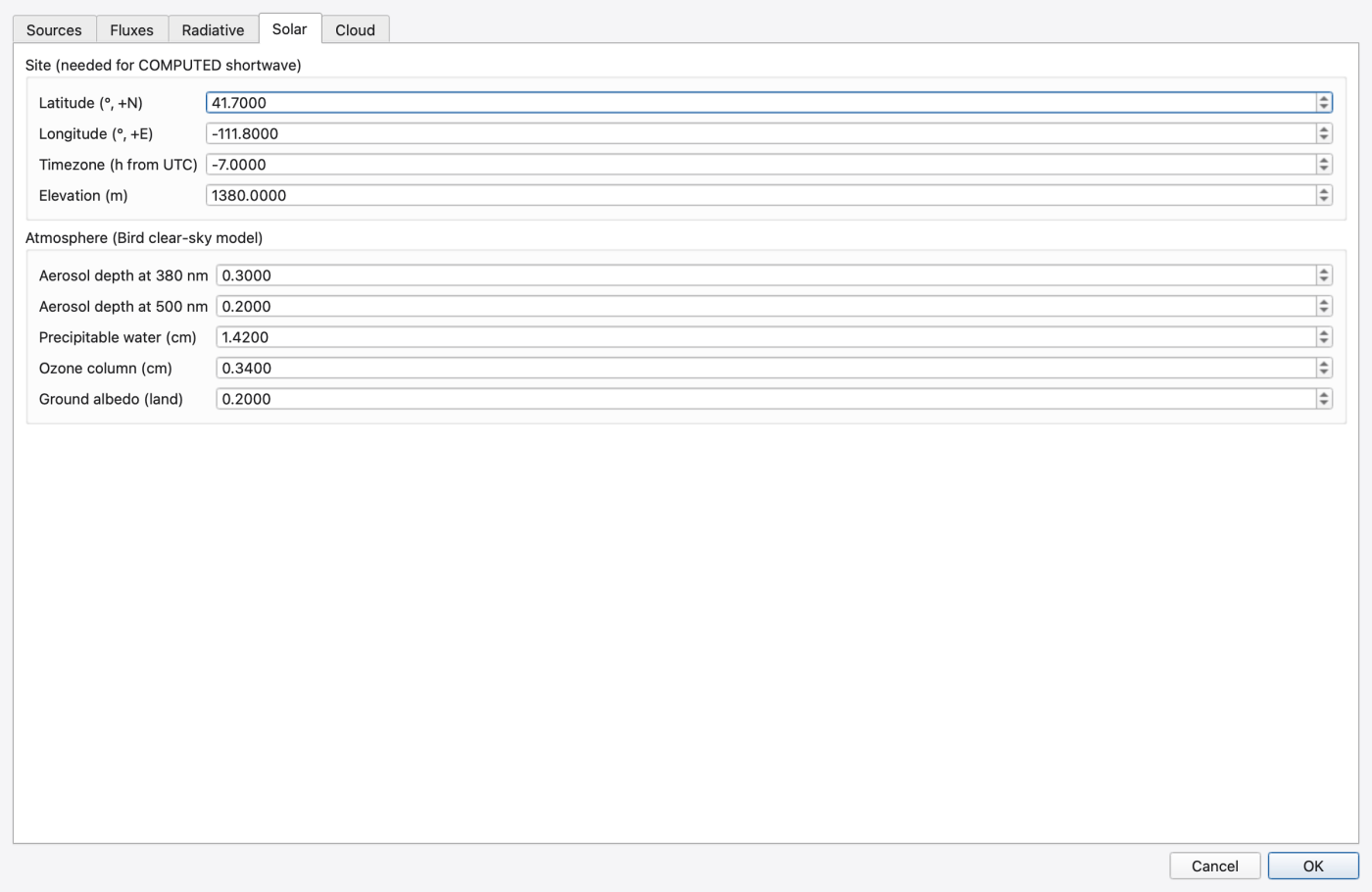
Solar tab — writes [SOLAR_RADIATION]; consulted only under the Computed shortwave mode. Site: Latitude (°, +N), Longitude (°, +E), Timezone (h from UTC), Elevation (m). Atmosphere (Bird clear-sky model): Aerosol depth at 380 nm, Aerosol depth at 500 nm, Precipitable water (cm), Ozone column (cm), Ground albedo (land). Selecting Computed without a latitude and longitude is refused with a prompt to fill the Solar tab first. Select Set latitude and longitude explicitly to configure a new site in the same visit; zero degrees is a valid coordinate.
Cloud tab — writes [CLOUD_COVER]. A Cloud cover configured check box (clear it and the model is treated as clear sky), a Fraction [0..1], a Fraction timeseries combo, and the three attenuation coefficients Shortwave atten. k, Shortwave atten. n and Longwave cloud k. One fraction drives both the shortwave and the longwave path.
Air temperature, wind and the standalone solar-radiation series are climate data, not heat configuration — see 15 — Climate: Temperature, Evaporation, Wind, Snowmelt and Solar Radiation.
Known gap. The engine reports the shortwave and cloud time-series mode but not the bound series name, so those two combos rebind rather than display what is bound. The (keep current series) entry is the no-op position: leave it selected and the existing binding is untouched.
A finished run carries N species — every pollutant, plus the reserved __WATER_AGE__ and __TEMPERATURE__ when those options were on. They appear throughout the results side of the application as ordinary attributes:
Water age is labelled Water age (hours) and temperature Temperature (°C); ordinary pollutants use their own concentration units. Saved themes and plots reference a species by name, not by index, so adding or reordering pollutants cannot silently repoint a saved theme. If a saved theme names a species the currently open run does not carry, the theme degrades to no theme and a message appears once per token in the Message Logs panel.
FIGURE PLACEHOLDERdocs/manual/images/16_species_attributes.png
.rxn file needs Save to File. Closing the dialog after any successful write marks the project dirty.EXT build-up C3 is a series index.** Do not try to type a number over it; edit the referenced time series instead (17 — Time Series, Curves, Patterns and Calibration Data).[HEAT_SOURCES] rows you did not intend.QUALITY_SOLVER, QUALITY_STEP, dispersion, WATER_AGE, HEAT_TRANSPORTLayered NODE controls support fixed removal, first-order decay and optional expressions for each pollutant and physical layer. Open Model → LID Control, select a layer and use Pollutant treatment. Storage-node LID quality currently requires Dynamic Wave with the Legacy quality solver.
Each retained cell carries pollutant mass; connected mobile water uses one mixed storage reactor. In consistent units, C = M / V. Accepted water transfers remove C_source * accepted_volume from the donor and credit the treated remainder to the receiver. Evaporation leaves solute behind.
Fixed removal gives C_exit = (1 - removal_fraction) * C_source; an optional R/C expression follows and cannot create mass. It acts once at a physical layer exit, not at every numerical MEDIA interface. Retained resident decay is M_after = M_before * exp(-(k_background + k_layer) * dt) in consistent time units. Mobile layer decay is weighted by the connected volume in each layer. Surface bypass does not receive all underlying treatment rules and saturated layers do not become separate plug-flow reactors.
The tutorial's assumed 2/day porous-layer decay has an 8.3-hour half-life. More exposure gives more calculated reaction by construction. It is not a calibrated field treatment prediction.
Reverse link flow imports its donor concentration at the physical port. Outfall LAST backflow is an external pollutant source; ZERO is clean water. Backwater resaturation and recession conserve retained/mobile water and mass. Infiltration history reconciliation alone does not create mass. Check initial + incoming = outfall + flooding + seepage + reacted + final stored for every pollutant, including retained stores and every emergency bypass. A closed valve or low concentration does not prove treatment; still-stored mass is not reacted mass. Use cumulative budgets for brief overflow and repeat with smaller routing steps to check treatment and peak-flow sensitivity.
Native V10 hotstarts save retained mass, moisture and infiltration history; compatible older files reconstruct missing history with a warning. See T9 — Layered LID Storage and Pollutant Treatment for layer editing and expression units, T10 — Distributed LIDs: Active Control and Receiving-Water Backwater for control experiments and the resaturation animation, and 14 — Hydraulics: Nodes, Links, Cross-Sections, Streets, Inlets and Controls for the accepted water-flux formulation.
In Richards 1D mode, each porous cell owns its complete water and pollutant inventory, including saturation; surface ponding is a separate mixed reservoir. Accepted directional fluxes move donor concentration times water volume, bounded by resident mass. Each cell uses its physical layer's decay rate; the shared-mobile weighting above belongs to the existing flow model. Fixed removal still acts once at an authored-layer exit. Evaporation retains solute, and dry surface mass redissolves with later supply. Richards does not add dispersion, sorption or new kinetic laws. Check every exit and final cell/surface inventory; water age, heat and MSX support for these layers is pending.
The Spatial properties page supports tag, node and link overrides. Select a row and choose Preview resolved values to inspect the complete draft using engine precedence without applying it. Element overrides win over tags, which win over global settings. A global ground-temperature series controls that boundary even when a constant element override is stored.
Apply and assign from raster… accepts the current heat draft, then opens a before/after preview for a loaded raster band. Nodes are sampled at their coordinates; conduits use equally spaced samples along their full polyline, giving a length-weighted mean. Both layers need known coordinate systems. Missing or invalid samples retain the previous object setting. Apply creates one Undo operation and names the source raster and band.
Feature-layer import offers Heat: properties for node types and conduits in update-by-name mappings, using the same preview and Undo workflow. The node and conduit attribute tables expose the same authored heat rows; a blank cell removes the element override and its tooltip shows the effective value and source. Sediment properties are restricted to conduit beds. All heat inputs use SI units and °C, independent of the hydraulic project units.
 1.9.8
1.9.8