Qt6/C++ GIS-based graphical user interface for the SWMMVis engine (6.0.0-alpha.4)
Loading...
Searching...
No Matches
User Manual
SWMMVis (the OpenSWMM GUI) is a Qt 6 / C++ GIS-based desktop application for building, running, and analysing SWMM 6.0 storm-water models with the next-generation OpenSWMM engine. It reads and writes standard SWMM .inp files, adds a GIS map canvas with coordinate reference systems and web/GIS data layers, and provides graphical workflows for supported engine capabilities — dynamic-wave and finite-volume 1D routing, 2D overland flow on unstructured meshes, 1D–2D coupling, advection–reaction–dispersion transport, multispecies reaction systems, heat transport, water age, groundwater exchange, streets and inlet junctions — through dialogs, tables, plots, and animated maps.
This manual is organised in five parts. Part I gets you oriented; Parts II–IV are reference chapters, one per capability area; Part V walks through small but complete case studies that exercise the engine end-to-end. Every chapter follows the same pattern: what you'll do, where to find it, a step-by-step reference, tips and gotchas, and related chapters.
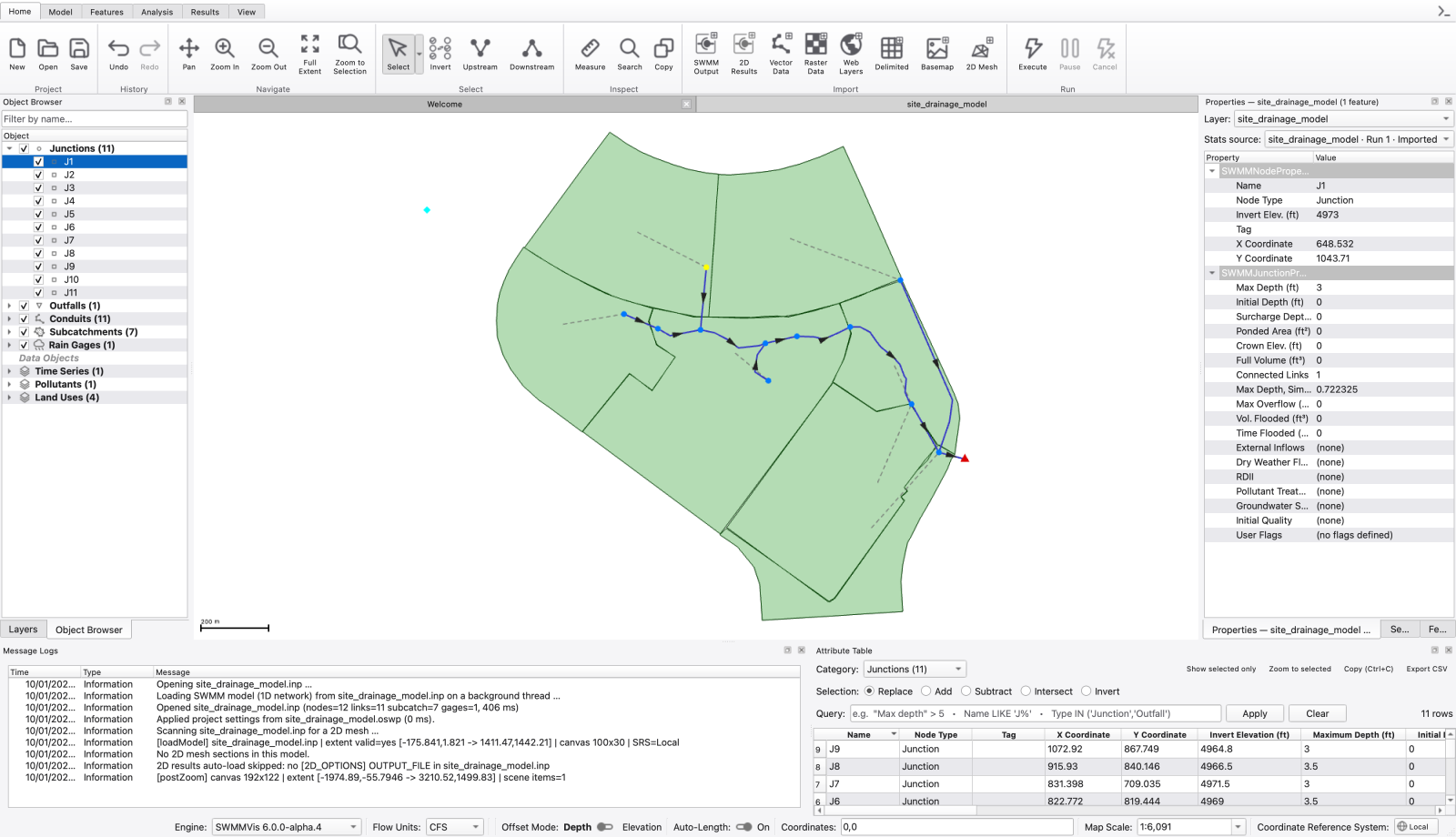
SWMMVis main window — ribbon; map canvas; Layers; Object Browser; Properties and Message Logs panels
Start with T1 or T2 for the 1D workflow. T5 includes a tracked 2D boundary example, and T7 includes a transport model. T3, T4 and T6 describe historical demo bundles that are not included in a fresh checkout; their availability notes identify the missing inputs and validation work. T8 requires its larger catchment data and dependent files. Runtime depends on the model and hardware.
Menu paths are written File → Import → Add Vector Data…. The same commands are on the ribbon; the ribbon tab is named in the Where to find it section of each chapter.
Keyboard shortcuts are the defaults; you can change any of them in Help → Keyboard Shortcuts… (see A1 — Keyboard Shortcuts).
SWMM input-file keywords are written in MONOSPACE and refer to sections and options of the .inp file; the engine's own documentation describes their numerical meaning.
Figures marked FIGURE PLACEHOLDER and videos marked VIDEO PLACEHOLDER are still to be captured. See docs/manual/README.md for how to add them.

 1.9.8
1.9.8